Building and launching a website isn’t just an easy task. It requires a sheer amount of thorough research, which cannot be overlooked.
Things like unimaginably frequent typographical errors, layout issues, spelling mistakes, calls to action, 404 error pages, SSL certificates, content, and many other details need to be fixed before going live.
Sometimes, that web design didn’t look appealing, and sometimes the technology just didn’t go live as expected.
For these reasons, the website designchecklist is the best way to ensure that you have covered all the ground checks before you click the publish button. And also, remember that there are three unique stages included in launching a website: before the launch, during the launch, and most importantly, after the launch.
As per the report, only 39% of websites pass all core web vitals metrics, which indicates that they still fail key user experience criteria that Google uses for ranking.
In this post, we will guide you through the things that you require to check prior to launching your site (both before and after the site is developed), as well as during the post-launch period to ensure that everything is working seamlessly and your visitors have the best user experience.
Top Stats for an eCommerce Website
- As per the report, global eCommerce sales are projected to reach $8 trillion by 2027.
- According to a survey, global eCommerce is projected to hit $6.8 trillion, which is a 2025 year-over-year growth of 8.3%.
- Online sales will make up 21% of total retail, expected to rise to 22.6% by 2027.
Prelaunch Website Checklist
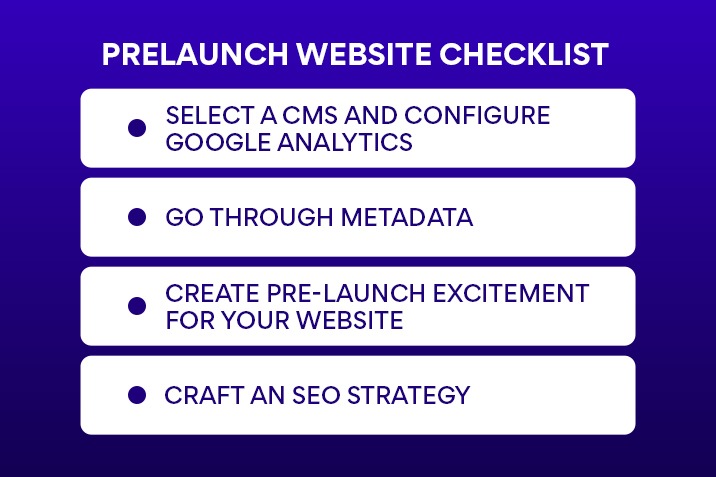
These are the initial and complete prelaunch checklist sets that you need to ask for from the website development company in Jaipur for your site. You may find yourself rushing to fix overlooked issues once you set your website live.
- Select a CMS and configure Google Analytics
The very first step toward a new eCommerce website development is to search for the right content management system (CMS).
There are platforms such as Shopify, which allow you to manage customer information and track orders and inventory.
If you’re new here on Shopify, you can learn to navigate the Shopify admin through a free video course that comprises store setup fundamentals.
- Go Through Metadata
Metadata helps search engines understand your website content in the right way so as to rank your pages. This involves:
- Title tags
- Meta Descriptions
- Alt Text
- Structured Data
- Canonical Tags
- Create Pre-Launch Excitement for Your Website
You can use social media, email teasers, and pre-launch incentives to make any kind of prediction. When you promote your websites early, you can create an audience right away, whereas SEO can take several months to obtain traction.
It takes a few months to become popular; however, promoting your site early can help you build an audience.
To spark interest, you can post content or product highlights.
- Craft an SEO strategy
A strong on-page SEO helps in engaging more visibility in search engine rankings. It generates more organic traffic to your website without expanding on ads.
Targeting the correct keywords while doing the proper keyword research and creating content plans for the new product pages, blog posts, and landing pages are some of them.
Website Launch Phase: What to Check at Go-Live
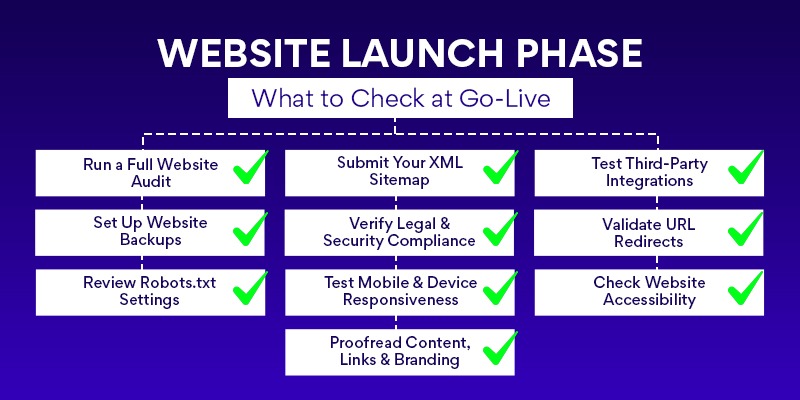
So, the launch is just the remarkable beginning. Now, let’s walk through the major steps that ensure your performance is flawless.
Run a Full Website Audit
A site audit helps you detect any technical mistakes that you may have overlooked during the initial process. (It includes broken links, duplicate content, site security issues, or poor responsiveness.)
You can run a website development audit from tools like Semrush or Ahrefs and collect technical performance data in Google Search Console (GSC) to find mistakes, recognize the areas for optimization, and compete against competitors.
Submit Your XML Sitemap
An XML sitemap updates all indexable pages in a text file format on your site. Google’s crawlers implement this file to crawl and index your site more effectively.
Shopify stores automatically develop sitemaps, accessible at [yourdomain.com]/sitemap.xml. You can also build the sitemap before launching; however, you can’t submit it for indexing until your site is live.
You can submit your Sitemap to GSC by heading to indexing > Add a new Sitemap and inserting your sitemap’s filename.
Test Third-Party Integrations
This includes email marketing services, customer relationship management (CRM) software, or an eCommerce analytics tool. By finding integration, you can ensure that data is transferred and mapped in the correct way.
Set Up Website Backups
Try to make a copy of your site, and later plan to back it up monthly to secure your data from loss. If you frequently update your site, such as involving new products weekly, plan for a weekend basis for a backup schedule.
Check if the backups are running correctly and store them in various locations, like an external hard drive and the cloud.
Verify Legal & Security Compliance
The Internet is not divided into any such borders; however, your eCommerce business must still comply with local laws and regulations. This involves:
- The General Data Protection Regulation (GDPR) applies if you’re securing data from users in the European Union.
- Compliance with the California Consumer Privacy Act (CCPA) if you are targeting users in California.
- A step-out button clearly visible on a cookie consent banner (if applicable)
- Accessibility standards as per Web Content Accessibility Guidelines (WCAG)
Validate URL Redirects
If you are planning to redesign or shift your site, you may be removing or consolidating pages.
If you are redesigning your website or migrating it, you may eliminate or consolidate some pages. You might also do this to boost the user experience (UX).
And there might be another reason to enhance search engine optimization (SEO). In the days when old pages are merged or swiped, these changes may lead to URL changes or links to pages that no longer exist. Redirect old pages to their fresh counterparts to help users reach the correct page.
Review Robots.txt Settings
A robots.txt file helps search engines identify what specific areas of your new site to crawl so that only the pages are indexed and the copied or low-value content is removed. S
oon before the launch, ensure that your robots.txt file is updated with guidelines to enable and disallow certain pages.
Test Mobile & Device Responsiveness
The website design services in Jaipur, like responsive design, fit the user’s device and screen size on all such devices, such as laptops, mobile devices, and tablets.
Check your total site experience on different devices and fix anything that’s out of place, such as misaligned text.
If you get access to numerous devices, you can test for responsive web design on Google Chrome just by right-clicking, opting for inspect, and switching the device icon in the toolbar.
Check Website Accessibility
The American Disabilities Act has made it compulsory for the site that they must be accessible to people with disabilities.
There are several ways in which users with disabilities can access websites. It includes screen readers, video captions, keyboard navigation, and voice recognition. Therefore, you must be sure that your site is following web accessibility guidelines prior to launching.
Proofread Content, Links & Branding
Now, you’ve spent most of your time refining your web copy design. After all that correction, also check for typos and if the wrong version of your logo has been uploaded.
Review the copy deeply and test the internal and external links to ensure they don’t have any mistakes. Review your brand identity elements, such as images, fonts, logos, and colors, to ensure compliance.
Post Launch
Now that your eCommerce website development is live, the last step is to prepare it for long-term growth. Your post-launch checklist must add the following:
Re-Test User Experience Across the Site
Go through the whole website and look at the test order to verify all the conversion paths. Are purchases flowing via Shopify or other platforms in the right way? Are the notifications being sent to the accurate email addresses? Check that the data is passing through the back end correctly.
Many eCommerce websites have several conversion points. It involves purchases, email submissions, or quiz completions.
Validating each form and button, like a single broken element, can make a big difference between a sale and losing a frustrated customer.
Strengthen Website Security Measures
Make sure your website is not unsecured against data breaches. Protect shared logins and passwords by using a password manager like Dashlane or LastPass, and change passwords every quarter.
Double-check that your website has an SSL certificate, which secures data transfer from your web server to the user’s browser by ensuring that your URL begins with “https://.”
Promote and Announce Your Website Launch
You can share the notification on all marketing channels. Understand the offering of a promotion or discounts to attract new customers.
Also, you can host a real-life or virtual space with presentations, features, and top website development trends in your industry.
Create a Long-Term Website Maintenance Plan
Make a plan that includes routine tasks to keep your website updated, comprising performance, security checks, and content. This involves:
- Technical monthly audits.
- Frequent content optimization.
- Usability testing.
- Key performance indicator (KPI) reporting every month.
- Biannual keywords.
Plan Future Content and Feature Updates
SEO is a continuous effort to ensure your website development is frequently growing, and a blog is a powerful way to target keywords in your niche.
Also, it helps form your authority as an expert and gives you a channel for answering user queries.
Why Does Website Launch Require Continuous Monitoring and Optimization?
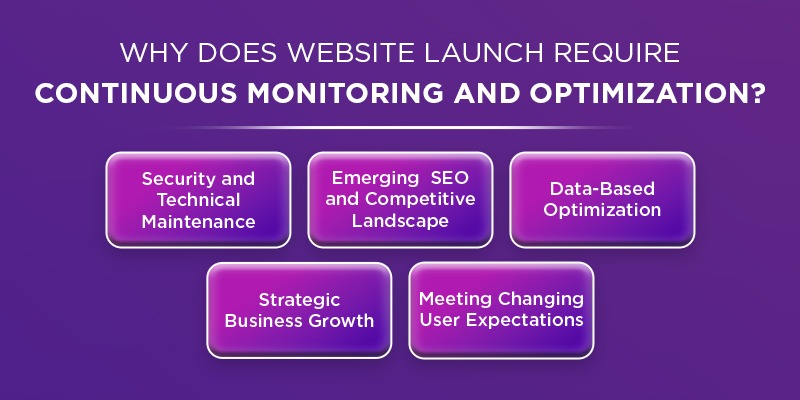
A website launch is a frequent process rather than a one-time process because of the shift of the digital ecosystem, technology, and user behavior.
With frequent evolution, it is important to adopt the needful ongoing adoption to remain in competition. With the constant evolution, it is essential to adopt the required ongoing adoption to remain in competition.
Treating a launch as a set-and-forget project led to security vulnerabilities, lower performance, and diminished ROI. However, a regular approach ensures the site remains secure, high-performing, and relevant.
Here is the reason why a website launch is an ongoing and frequent process:
Security and Technical Maintenance
- Continuous Threats: The engagement of Cyber threats occurs daily. It requires frequent software plugins and Content Management System updates to patch vulnerabilities.
- Performance Optimization: Traffic appears, or web standards evolve. The maintenance (for example, image optimization and code optimization) is necessary to maintain the load speed fast and minimize the bounce rates.
- Broken Link Repair: The crawling of the website is essential for everyday. It helps to identify the 404 errors and broken links that inhibit users and negatively affect SEO.
Emerging SEO and Competitive Landscape
- Algorithm Changes: The search engines, such as Google, keep updating their algorithms regularly, which demands the need for SEO optimization to cope with the rankings.
- Content Freshness: The search engines continue to highlight websites that contain fresh and quality content. It makes it necessary to update content regularly to remain at the top of search engine rankings.
- Search Engine Optimization: It enhances a website with fresh and high-quality content. It makes daily updates significant to staying on top of search rankings.
- Competition: Every day, new competitors appear. It frequently results in the release of improved and more contemporary websites. In the end, it keeps your website current.
Data-Based Optimization (Growth-Oriented Design)
- Real-Time User Behaviour: The only way to test a website is through user interaction, which can only be done after the website is launched.
- A/B Testing: Using small changes based on user data, such as heat maps, scroll rates, and click-through rates, can actually help improve conversion rates without having to make major changes.
- Agile Design: Before the perfect product is ready, an imperfect ‘launchpad’ site will be created. Future versions will be improved incrementally over time.
Strategic Business Growth
- Adapting to Goals: The goals, products, and services of a business are always changing. The website should adapt to the new business strategies.
- Maximum ROI: Small updates are more economical than the “complete-overhaul-every-3-to-5-years” approach, which is expensive and stressful.
Meeting Changing User Expectations
- Mobile First Needs: Continuous mobile traffic demands a constant focus on mobile site development while conducting checks on site suitability on new devices.
- Dynamic Content: People are familiar with finding the most unique information and news. In the absence of dynamic content, trust levels can drop.
Final Thoughts
Regardless of the types of websites you are launching, there needs to be little planning, which is crucial for their long-term success.
And developing a site without a strong foundation wastes time and effort. And with these results, visitors will leave your site in between as they find less important elements.
We have listed all the website launch checklists to help you navigate the pre- and post-launch phases.