AI Chatbots + SEO: A Practical Guide for Growing Businesses (2026)


In this article
- What a chatbot actually does for SEO
- Case study: running the loop on our own studio site
- Start with real questions, not keyword tools
- Turn answers into pages that rank, but not one page per question
- Let the bot send people to your best pages
- The technical floor — and an honest word about FAQ schema
- Handling customer data responsibly
- What not to do
- A four-week plan
- 3 numbers to watch
- The loop, in short
Most growing businesses treat their chatbot and their SEO as two separate jobs. The chatbot answers customers. The SEO brings visitors. They sit in different tools, owned by different people, measured by different numbers.
That separation wastes the best thing each one has. A chatbot knows exactly what your customers ask, in their own words. SEO turns answers into pages that bring in new customers.
Put them together, and each one feeds the other: the bot tells you what to write, and the pages you write make the bot smarter.
This guide shows how to run that loop in practice, without a big budget or a big team, including what we have learned running it on our own studio site, with real numbers, and where the honest limits are.
What a chatbot actually does for SEO
Start with an honest claim, because this is where most articles on this topic go wrong.
A chatbot does not directly raise your rankings. Google does not give a page a better position because a chat window sits on it, and it does not use the engagement numbers in your analytics dashboard as ranking signals.
Google's John Mueller has said this plainly more than once: asked whether Google uses Analytics data for ranking, he answered "we don't use that at all," and he has specifically called the idea that Google looks at bounce rate when ranking "definitely not the case."
Google's own public explanation of how Search works says it uses aggregated, anonymized interaction data to judge whether results are relevant to a query — but that is a long way from a dwell-time factor you can chase by keeping visitors on a page longer.
Anyone who promises that a chatbot will lift your rankings by improving time on site is selling something.
What a chatbot does is quieter and more useful. It keeps visitors from leaving empty-handed. A person who lands on your site with a question and finds no answer leaves in seconds.
A person who gets a clear answer in the chat stays, reads more, and sometimes buys. Longer visits and more pages read are good outcomes in themselves — they mean the visitor found what they came for — but treat them as customer outcomes, not as ranking levers.
The second effect matters more, and it is the whole subject of this guide. Every question a visitor asks your chatbot is a piece of keyword research you did not have to pay for.
It is the exact phrase a real customer typed, not a guess from a keyword tool. Collect enough of those phrases, and you have a list of pages worth writing — pages that answer real demand, in the words real people use.
Case study: running the loop on our own studio site
Before the method, here is what it looks like in practice — on our own site, not a client's, with early numbers and honest limits.
AKCLNT is a small software studio in Rawalpindi, Pakistan. We build websites, AI chatbots, and automation for small businesses, and we run the chatbot-plus-SEO loop on akclnt.com ourselves.
The challenge
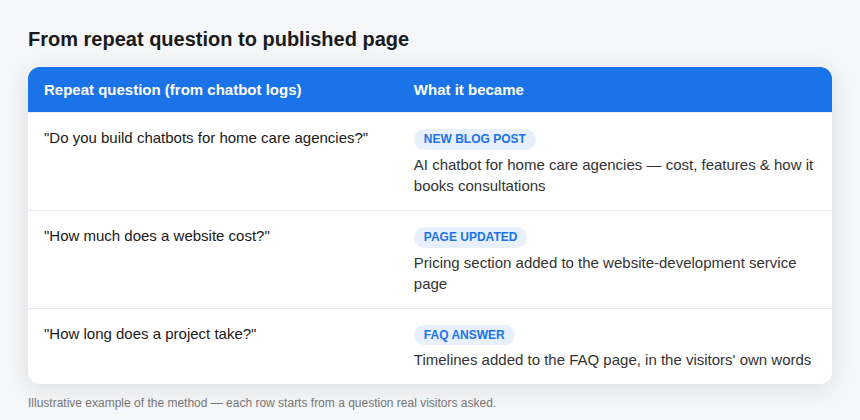
As a small studio, the founder was answering the same visitor questions over and over — what services we offer, what a website costs, how long a project takes, whether we build chatbots for a specific industry.
The site had service pages, but it did not answer those questions in the words prospects actually used, and it was not earning search traffic for them.
What we did
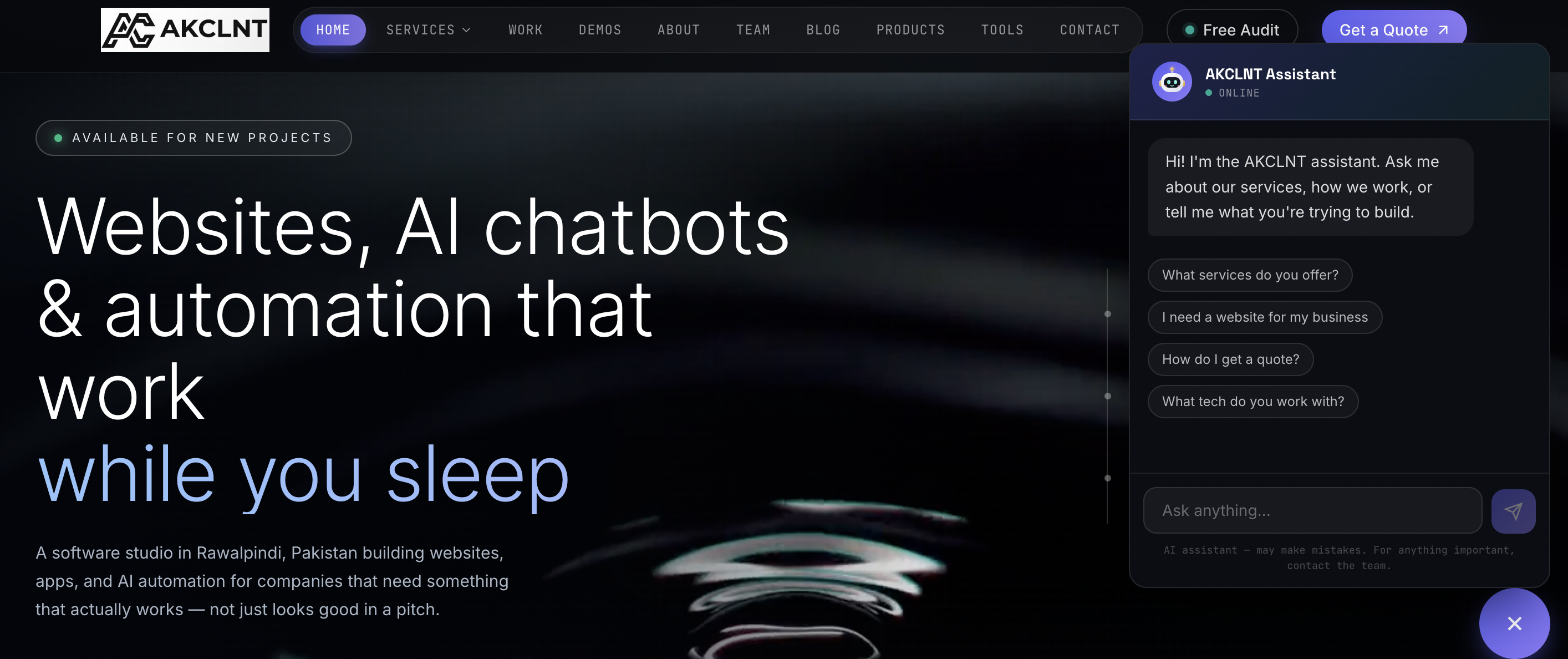
We built Myraa, our own AI assistant, and put it live on akclnt.com, where it answers visitor questions about our services, pricing, and process around the clock.
We review the questions visitors ask, and the repeats shape the site's content: answers get written into the FAQ and service pages, and the questions that keep coming back become blog posts — a series of practical guides on AI chatbots for specific industries, from home care agencies to landscaping companies.
Each post answers one real question cluster, in plain language, with real prices and examples. The chatbot then links visitors to those pages when the same questions come up in conversation.
What happened
These are early numbers from a young site, and I am reporting them exactly as our own tools show them.
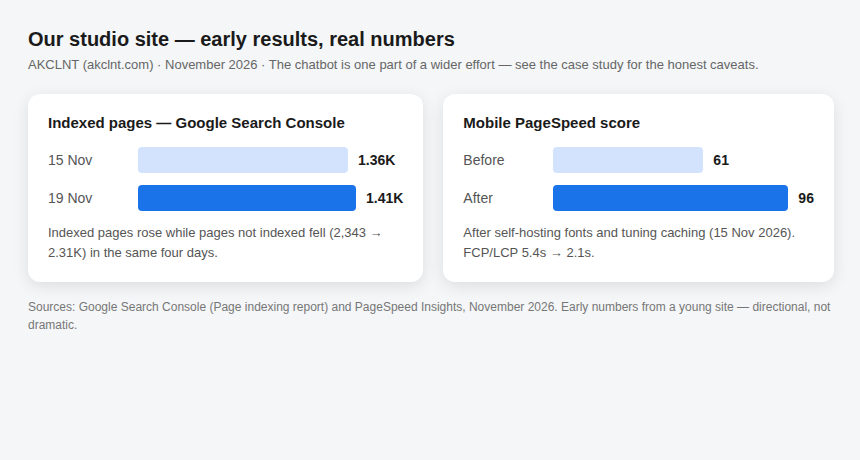
Between 15 and 19 November 2026, Google Search Console showed our indexed pages rise from 1.36K to 1.41K while pages not indexed fell from 2,343 to 2.31K.
In the same period, our mobile PageSpeed score moved from 61 to 96, after we self-hosted our fonts and tuned our caching.
The blog now runs to 115 posts, published daily. Our free-tools subdomain, measured separately, earned 20 clicks in 28 days in Search Console — small, but real, and growing from zero.
Two honest caveats.
First, the chatbot is one part of a wider effort: the speed work and the daily publishing did most of the visible lifting in those weeks, and I am not claiming the bot alone moved any number.
Second, the chatbot's contribution so far is mostly qualitative — visitors get answers at midnight without waiting for the founder, and the questions they ask tell us what to write next.
That is the loop working at small scale. It is not a dramatic before-and-after chart, and any agency that shows you one for a project this young is probably smoothing the numbers.
Start with real questions, not keyword tools
Keyword tools are useful, but they show you what people search in general. Your chatbot shows you what people ask you specifically.
That difference is where small businesses win: they can answer the exact question their own customers keep asking, while bigger competitors write generic pages for everyone.
Here is how to work with the conversations in practice. Most chatbot platforms let you export chat logs — usually as a CSV file, or through an API if you want it automated.
Once a month, export the last 30 days and sort the conversations into a simple spreadsheet with three columns: the question (in the visitor's own words), how many times it appeared, and whether your site already answers it.
Group near-duplicates together — "how much does a website cost," "website price," and "what do you charge for a website" are one question, not three.
In most small businesses, the pattern is obvious within an hour: a handful of questions make up most of the volume — prices, availability, delivery, booking changes, and "do you do X?"
Write the questions down in the customers' own words, not your polished version of them. The customer's wording is the wording other customers will search for.
Then sort the list into two groups: questions your site already answers somewhere, and questions it does not answer at all.
The second group is your writing list — but not every item on it deserves its own page, which brings us to the next section.
Turn answers into pages that rank, but not one page per question
An earlier version of this guide said one question, one page. That was oversimplified, and it is worth correcting plainly: not every unanswered question deserves its own page.
A site full of thin one-answer pages is low-value content, and Google's helpful-content guidance is clear that pages should fully serve a purpose rather than exist to catch a query.
The right rule is narrower: a question earns its own page only when it has real search demand and needs a full answer. Related questions belong together on one substantial page.
How do you tell the difference? Check demand before you write.
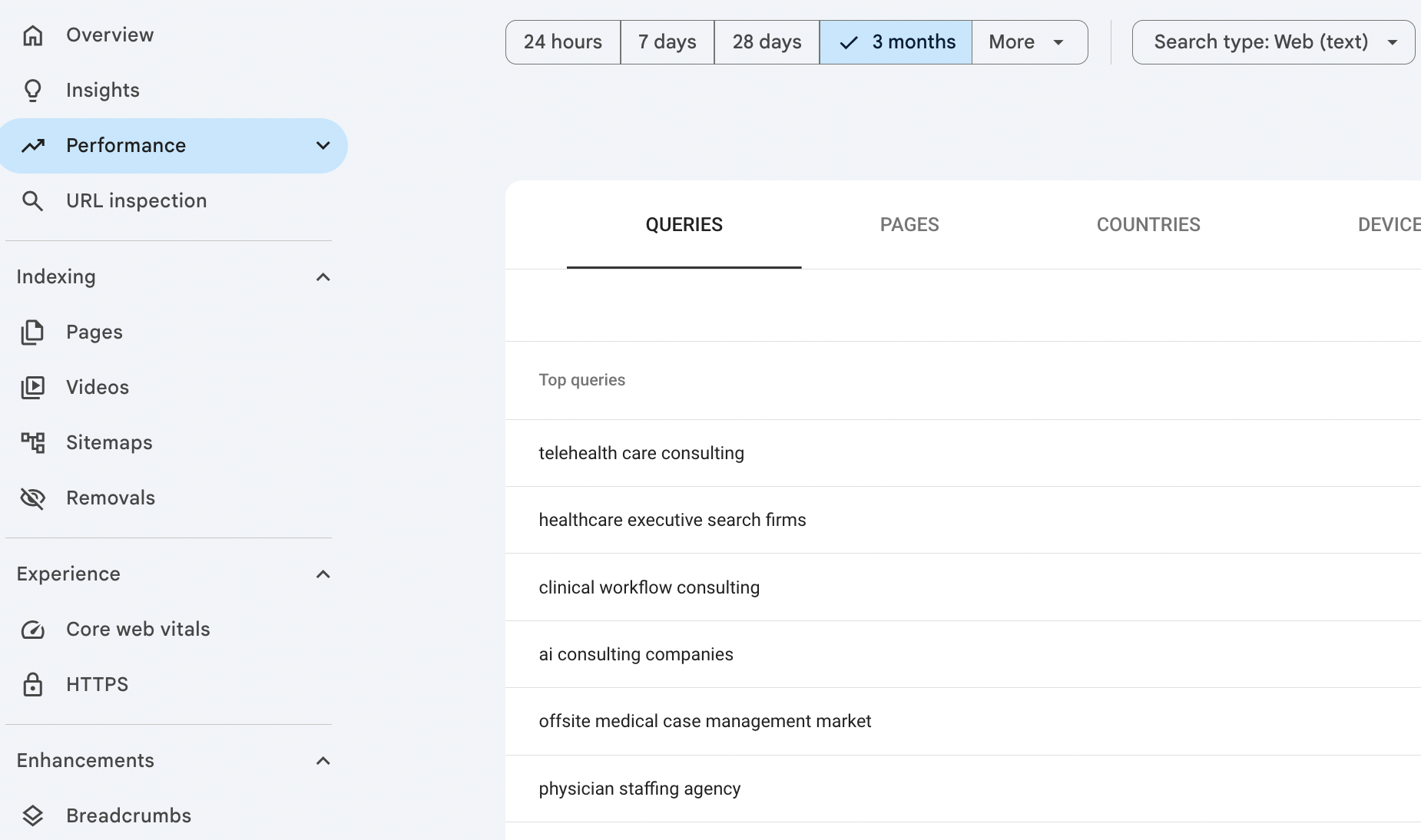
Search Console will show you whether people already find your site through related queries, even if they land on the wrong page — that is demand with no page to serve it.
A keyword tool will show rough monthly volume for the question's phrasing. And your own chatbot count is a demand signal too: a question asked twenty times a month by your own visitors is worth a page; a question asked once is worth a line in the FAQ.
Then decide: update or create.
If a question is a variation of something an existing page already covers, update that page — add the answer, in the visitor's words, as a new section.
Updating a page that already has some history almost always beats publishing a new thin one.
Create a new page only when the question is genuinely a different topic with its own demand, and when you can answer it properly: a clear answer, specific details, and something the reader can do next.
Start with the easiest win: a proper FAQ page. Not the five generic questions every site has, but the ten to fifteen real questions from your chatbot logs, answered in plain language with specific details.
Prices with numbers, delivery times with days, policies with the exceptions customers actually hit.
A good FAQ page does two jobs at once: it ranks for the questions people search, and it gives your chatbot better answers to quote.
The repeat questions that need more than a short answer become blog posts.
If twenty people a month ask how to choose between your two service packages, that is a blog post: a comparison, written honestly, that your chatbot can link to.
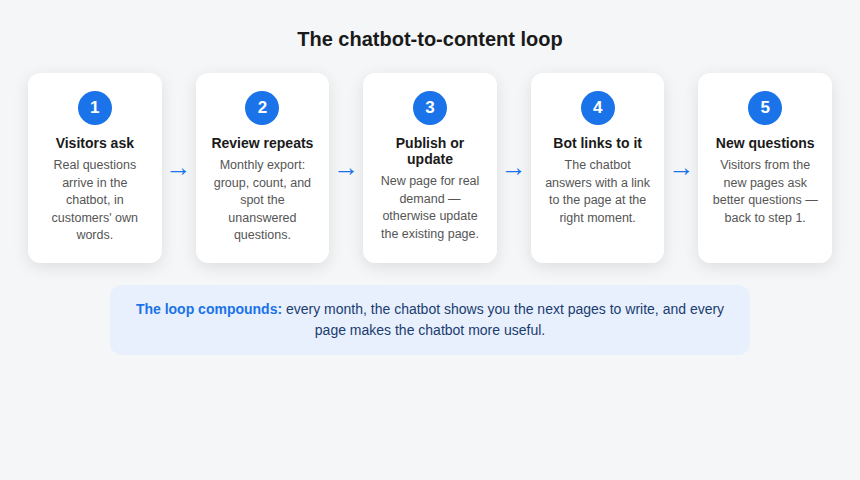
The post ranks, the bot sends people to it, and the people who read it ask better questions next time. That is the loop working.
Let the bot send people to your best pages
A chatbot that only answers in the chat window is doing half its job. The other half is pointing people to the pages where the full answer lives.
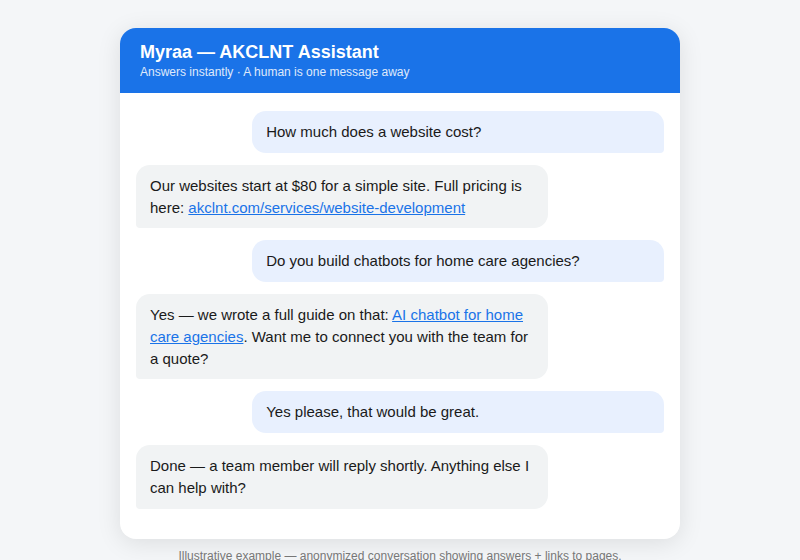
When the bot answers a question, it should link to the relevant page: the pricing page for price questions, the booking page for availability, the guide for how-it-works questions. This is internal linking done by conversation instead of by navigation menus, and it works because the link arrives at the exact moment the visitor wants it.
This also tells you which pages deserve more work. The pages your chatbot links to most often are the pages your visitors value most. Improve those first. A page nobody visits and the bot never mentions is a page to fix or remove, not a page to promote.
One caution: the link should help, not trap. If the visitor asked a simple question, answer it in the chat first and offer the link as the next step. A bot that answers every question with "read this page" is a search box with extra steps, and visitors treat it that way.
The technical floor — and an honest word about FAQ schema
None of this works if the pages themselves are slow or broken on a phone. Before you invest in chatbot content, check two basics: speed and mobile.
A page that takes more than a few seconds to load loses the visitor before the chatbot even appears — compress images, and test on a real phone, not only on office wifi.
Most of your chatbot conversations will happen on phones, so if the chat window covers the content, or the page is hard to read on a small screen, fix that first.
On FAQ schema, an earlier version of this guide promised too much, so here is the correction.
Google limited FAQ rich results to well-known, authoritative government and health websites in August 2023, and its documentation says the FAQ rich result no longer appears in Google Search at all as of May 2026.
FAQPage markup will not give you an expandable result in Google, and Google's own guidelines say structured data "enables a feature to be present, it does not guarantee that it will be present."
Write FAQ pages because readers need them, and because clear question-and-answer content is what AI answer engines quote — not because the markup buys you search-result space.
If you already have FAQPage markup on pages with real visible FAQs, Google says there is no need to remove it; it is harmless, just no longer visible.
Handling customer data responsibly
A workflow built on reading customer conversations carries a responsibility, and it is worth stating plainly. Chatbot logs contain real people's words — sometimes names, phone numbers, order details, or frustrations they would not want published. Three rules cover most of it.
First, anonymize before you analyze. Strip names, email addresses, phone numbers, and order IDs from any conversation you export for content work.
The question is what you need, not who asked it. Second, restrict access: conversation logs should be visible only to the people who need them to do the work, not to the whole team and never to contractors without a reason.
Third, never publish a customer's words. The questions in your FAQ page and blog posts should be rewritten in your own voice, as general questions — never quoted from a real conversation, even without a name attached.
If a conversation contains something sensitive — a complaint about a named person, a medical or financial detail — delete it from your working notes entirely. The loop runs on patterns across many conversations, never on one person's story.
What not to do
Three mistakes show up again and again.
First, auto-generating hundreds of thin pages from chatbot logs. One real question, well answered, is a page.
A thousand machine-written variations of the same question are spam, and search engines treat them that way. Write for the questions that repeat, not for every question ever asked.
Second, hiding answers behind the chatbot. If the only way to find your prices is to ask the bot, you have built a wall, not a helper.
The bot should make answers faster to reach, not harder. Anything a customer might search for should also exist as a page.
Third, stuffing keywords into bot replies. A chatbot that answers "our affordable web design services in Rawalpindi are the best affordable web design services" sounds broken, and customers notice before Google does.
Write bot answers the way your team actually talks. Natural wording reads better and ranks better — both at once.
A four-week plan
This does not need to be a large project. Four weeks, a few hours each week, is enough to start the loop:
Week 1: Export a month of chatbot conversations. List the repeat questions in the customers' own words, grouped and counted. Mark which ones your site does not answer. Check search demand for the top five in Search Console and a keyword tool.
Week 2: Write the answers. Build or rebuild the FAQ page with the ten to fifteen real questions. Fix the service pages the bot keeps covering for — update the page before you write a new one.
Week 3: Put the chatbot live on your busiest channel with the new answers, and set it to link to the relevant page with each answer. Test it yourself as a customer: ask the ten questions, ask a refund question, and type "human". Fix what breaks.
Week 4: Read the first weeks of conversations. Which new questions appeared? Which answers need rewriting? Pick the best repeat question and write it up as a blog post. Set up the monthly review as a recurring habit: export, count, update, write.
After that, the loop runs itself: every month, the chatbot shows you the next pages to write, and every page you write makes the chatbot more useful.
3 numbers to watch
You do not need a dashboard full of metrics. Three numbers tell you whether the loop is working:
Organic clicks to your FAQ and service pages. If the pages built from chatbot questions are earning search traffic, the loop is working. Check it in Search Console, comparing month to month, and look at the queries bringing people in — they should start to match the questions your chatbot hears.
Resolution rate. How many chatbot conversations end without a human. If it rises while the pages improve, the answers are getting better. If it rises while customers write back angry, the bot is answering fast and badly.
Repeat questions. Which questions keep coming back? Each one is either a page to write or a page to fix — the loop telling you its next job.
Review them monthly, in one short sitting. If organic clicks are flat, the pages need better answers, not more pages. If resolution is high but customers write back angry, the bot is answering fast and badly. The numbers point at the fix; they are not the fix.
The loop, in short
Your chatbot knows what customers ask. Your website should answer those questions as pages. The pages bring in new visitors, who ask new questions, which become new pages. That is the whole system: a chatbot and a website feeding each other, each one making the other more useful.
It starts small — ten questions, one FAQ page, one channel — and it compounds from there. I have built these systems for small businesses at AKCLNT, and the ones that keep growing are the ones that started with real customer questions instead of guesses.
Latest posts
View all posts →
Why Small Business Re-Engagement Emails Fail (And the 3 Fixes That Actually Work)
You put together a re-engagement campaign. The subject line is solid. The offer is genuine. You send it to 800 subscribers who've gone quiet over the past few…


What 10,000 Daily Support Conversations Teach About Writing Copy in the Words Customers Actually Use
Every SaaS team I know tests its copy the same way: a marketer writes two versions of a headline, the team argues about which one sounds better, and an A/B tes…

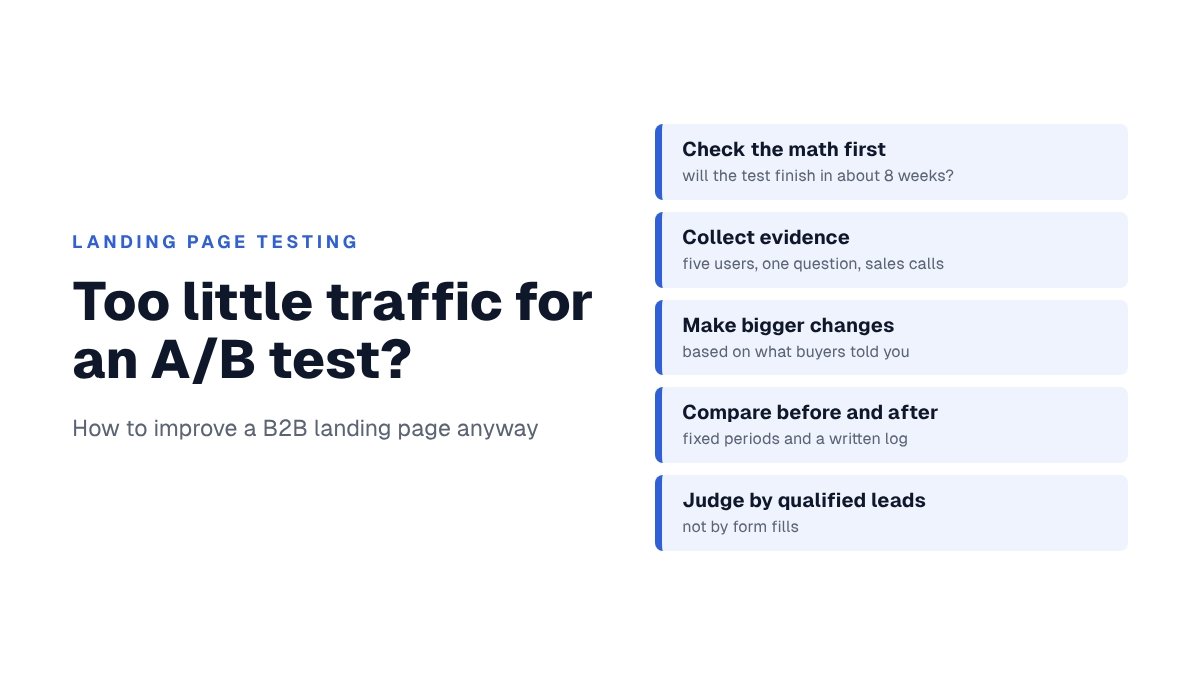
How to Improve a B2B Landing Page When Traffic Is Too Low for A/B Tests
Most advice on landing pages ends with the same instruction: test it. Split your traffic, run version A against version B, and keep the winner. For a B2B compa…