
Programmatic SEO has built some of the most valuable organic channels on the internet, but it also produced the kind of thin, templated pages that Google has spent the last two years removing from search results.
Alpaca Health is a good example of what programmatic SEO looks like when it’s done right. It’s a venture-backed startup that runs a network of independent ABA therapy practices for children with autism.
I rebuilt the programmatic layer behind its city and state pages, publishing 238 location pages in less than 30 days. Within six weeks, those pages were producing 59.7% of all the conversions on the site outside the homepage.
This guide walks you through the process I used, step by step. You don’t need an engineering team for any of it. All you need is a data source, a CMS, and a solid quality bar.
Why Programmatic SEO Can Get Penalized
The pattern that gets sites burned is the city-swap template, where you take one page and duplicate it hundreds of times while changing only the city name and a few local words.
Google now names this pattern directly in its spam policies as scaled content abuse, which covers creating large numbers of pages whose main purpose is capturing rankings rather than helping people.
The March 2024 core update folded these signals into Google’s core ranking system, and sites running thin programmatic templates were among the hardest hit.
That doesn’t mean programmatic SEO is dead. Google penalizes scaled pages that say nothing, and it keeps rewarding scaled pages that carry real information. Everything in this guide is about making sure you stay on the right side of that line.
The Core Principle: Unique Primary Data on Every Page
A templated structure is completely fine. Search engines don’t punish you for using the same layout across 200 pages. They punish you when the content inside that layout is the same everywhere, or when it’s generic filler that you (or an LLM) produced by rephrasing your competitors’ pages.
Before I build anything, I ask one question: would this page still be useful if it didn’t rank?
A parent in Plano who lands on an autism therapy page should find the insurance rules, school district context, and local resources that are specific to Plano. If you could remove the keyword and the page would still help that parent, you’re building the right thing.
When I say “primary data,” I mean information you pulled from a real source for each individual page.
That can be government and state databases for licensing requirements and coverage rules, Census demographics for that specific city or county, your own product or marketplace data, or local institutions like school districts, crisis lines, and community organizations that a reader might actually contact.
If every fact on the page could just as easily appear on a competitor’s page, you don’t have primary data yet.
What You’ll Need
You need four things, and none of them require engineering:
- A data source for every content block: Public APIs like the Census, state databases, or your own internal data.
- A CMS that supports collections: I use Webflow, but Airtable plus a static site generator works just as well.
- An AI coding agent with API or MCP access: I use Claude Code connected over MCP to Google Search Console and Webflow (both API and MCP — they have access to different things), which is what makes pulling and updating per-page data programmatic instead of manual.
- A human reviewer: Someone with enough domain knowledge to catch what the model gets wrong. This step isn’t optional, and I’ll show you why in Step 5.
Once you have those four things lined up, you’re ready to start.
Step 1: Choose a Page Type With Real Data Variation
Programmatic pages only work when the underlying data genuinely varies from page to page, and the right page type depends on what your business actually has data about. Location pages make sense if your service changes by geography through things like regulations, coverage rules, or local supply, which is why they’re a common fit for healthcare, legal, insurance, and home services.
Comparison and alternative pages can work when your buyers are weighing options and you hold real product data like specs, pricing, and feature support. Integration and template pages fit if your product connects to or contains other things, because every app pair or template is its own search query with its own data. And inventory or category pages are the natural choice for marketplaces with live listings, rates, or availability.
Before you commit to any of these, though, run a quick variation test. Pick five sample pages and list out what would actually be different on each one. If you can’t fill a meaningful table, your pages will most likely have filler data.
For Alpaca Health, the page type was state and city pages for families seeking ABA therapy, and the variation was real. Insurance and Medicaid rules differ by state, school district policies differ by city, and local resources differ everywhere.
Zapier is a great example: they run one of the best-known programmatic libraries in SaaS. There’s a page for every app and every app-to-app pair, and each one is populated from Zapier’s own platform data, meaning the triggers, actions, and workflow templates that actually work between those two tools. That data exists nowhere else, because it’s Zapier’s own integration catalog.

Zapier’s Gmail-to-Slack page. The triggers, actions, and templates are real platform data, and they’re unique to each app pair.
Wise does the same thing: every currency pair gets a page that’s built on the live mid-market exchange rate, with conversion tables that update continuously. A writer couldn’t fake that data, and a competitor can’t reproduce it by prompting an LLM.

Wise’s USD-to-EUR page, built on the live mid-market rate.
Both of these follow the same pattern as the healthcare build in the rest of this guide, which is a templated shell around data that only the company has access to.
Step 2: Source Unique Per-Page Data
This is where most of your build time will go. If you’re building location-based pages, these four sources will cover a lot of ground:
- Census and ACS APIs: Free, official, structured demographics for any city or county. Start at data.census.gov.
- State government databases: The rules side of things, which includes licensing boards, Medicaid coverage rules, and state-specific program requirements.
- Insurance and coverage citations: The rules that apply in each specific state, linked back to the official source.
- Local resources: Crisis lines, school district special-education contacts, and community organizations that a reader might actually call.
All four of these are official, public, and free to use.
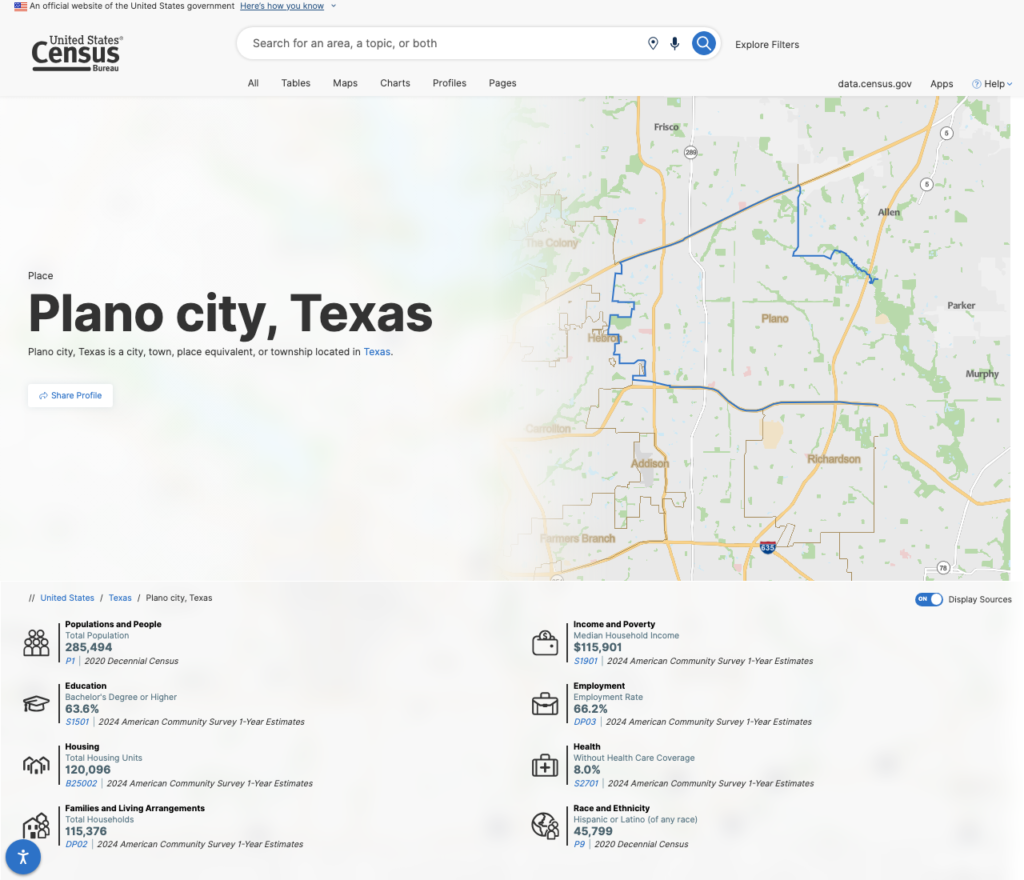
Pulling city-level demographics from the Census ACS. Every page gets its own numbers from an official source.
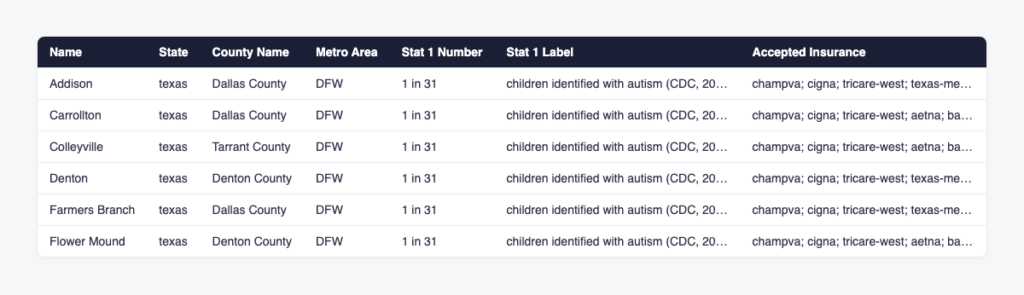
This is what the per-page data looks like before it goes into the CMS. Each row is one page’s unique material.
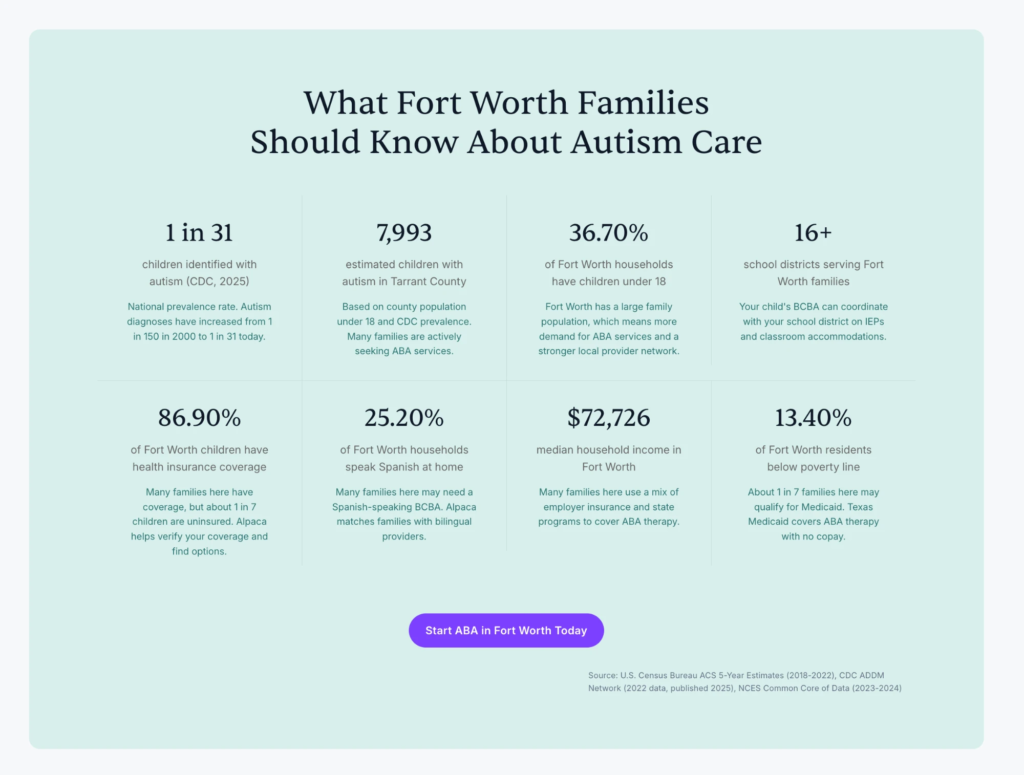
And this is the same data rendered on the live Fort Worth city page on Alpaca Health. Every stat ties back to a named source, including the Census ACS, the CDC, and NCES.
If you’re building a different page type, the same principle applies with different sources.
Integration pages pull from your own platform’s directory and usage data, comparison pages pull from the structured product and pricing data you maintain, and inventory pages pull from your live marketplace.
The constant across all of them is that the data lives somewhere a competitor can’t scrape it from you.
For every block on the page, a reader should be able to ask “where did this number come from?” and get an answer with a source.
Step 3: Design the Template (Templated vs. Unique Ratio)
Your template defines what’s shared and what’s unique. The structure, the navigation, and the CTA blocks can be identical on every page. The substance can’t be.
In my pSEO projects, I aim for at least half of each page’s body content to be page-specific, which covers the data blocks, the local context, and any commentary that interprets the data for the reader. The intro framing, explainer sections, FAQs, etc., can be shared.
You can manage the split in your CMS like this:
- Pull dynamically: Every fact that varies, like coverage rules, demographics, local resources, and provider availability.
- Hard-code in the template: The layout, the navigation, and the conversion path.
- Don’t generate per-page: “Unique” AI rewordings of the same paragraph. That’s the pattern Google’s systems got good at catching.
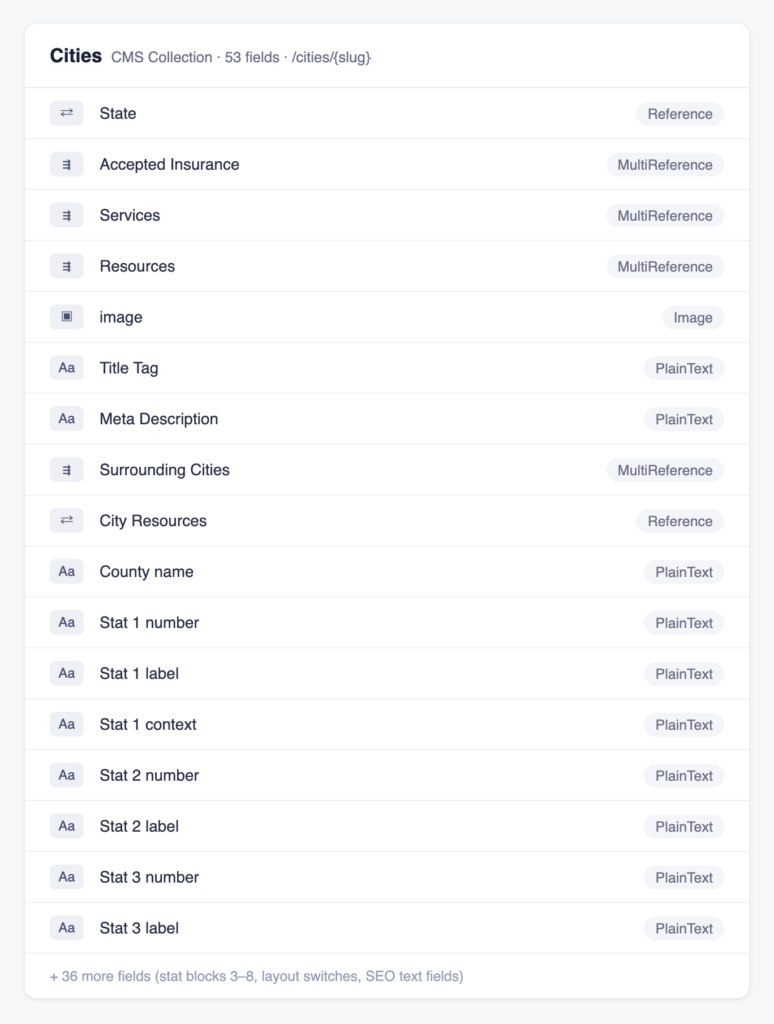
The Webflow collection behind the pages. Each field maps to one dynamic block in the template.
Step 4: Layer in E-E-A-T Signals
Google’s quality framework, E-E-A-T, looks for evidence that real, qualified people stand behind your content. On programmatic pages, this is the part where almost everyone does nothing, which makes it an easy place for you to stand out.
The signals look a little different depending on the page type, and I layer them in three ways.
The first is named authors and expert reviewers on the content layer.
Alpaca Health’s resource articles show who wrote, edited, and clinically reviewed each piece, with Board Certified Behavior Analysts as the named reviewers and their credentials right in the byline. That visible “written by, edited by, clinically reviewed by” stack is exactly the kind of signal E-E-A-T rewards.
The second is structured data on every programmatic page. Each location page ships LocalBusiness and Service schema that ties the page to the parent organization and the exact area it serves, so crawlers and AI search engines can work out who’s behind it.
The third is source citations on data claims, where every statistic links back to the government or institutional source it came from.
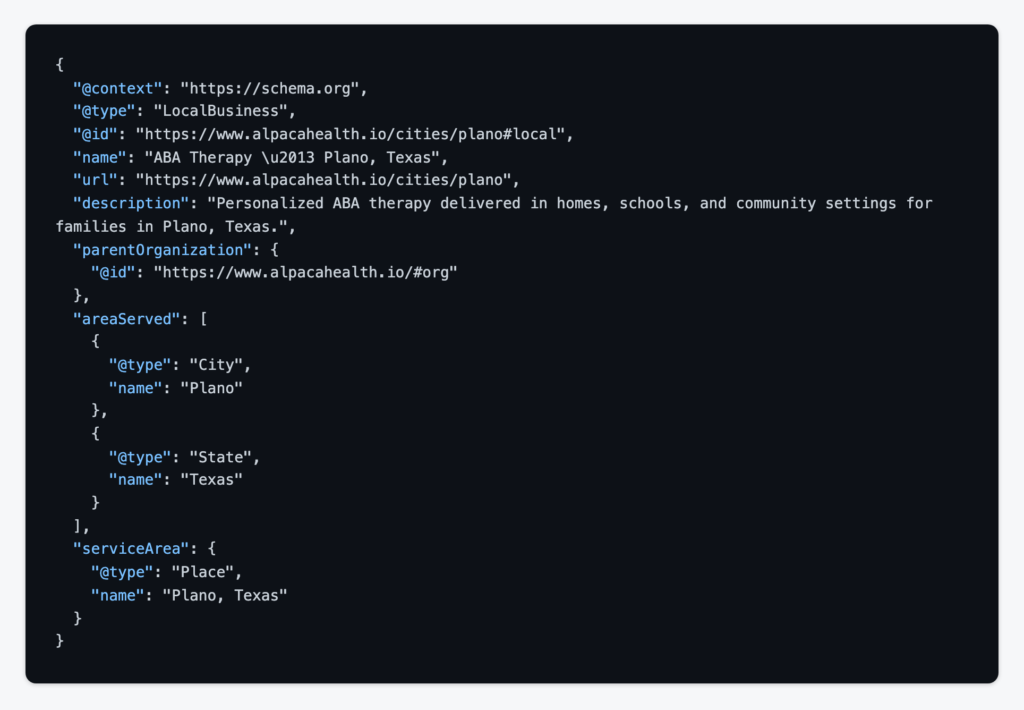
The LocalBusiness schema on a city page, tying it to the parent organization and the area it serves.
Step 5: Run the Human-in-the-Loop QA Gate
Every AI-assisted build produces a predictable set of failures, and your QA gate exists to catch them before you publish. The three I see in nearly every batch are unverified claims, voice drift, and generic comparisons. An unverified claim is a statistic or rule that sounds right but has no source behind it, which is disqualifying in healthcare and damages trust in any niche. Voice drift is what happens when pages slowly stop sounding like your brand as the batch goes on. And a generic comparison is a section that could sit on a competitor’s page without anyone noticing.
My review runs as a checklist that the agent applies to its own output first, and then a human spot-checks a sample across the batch. Every claim needs a source, every page needs to pass the “would this help without ranking” test, and nothing should read like filler. Only after that does the batch get sign-off.
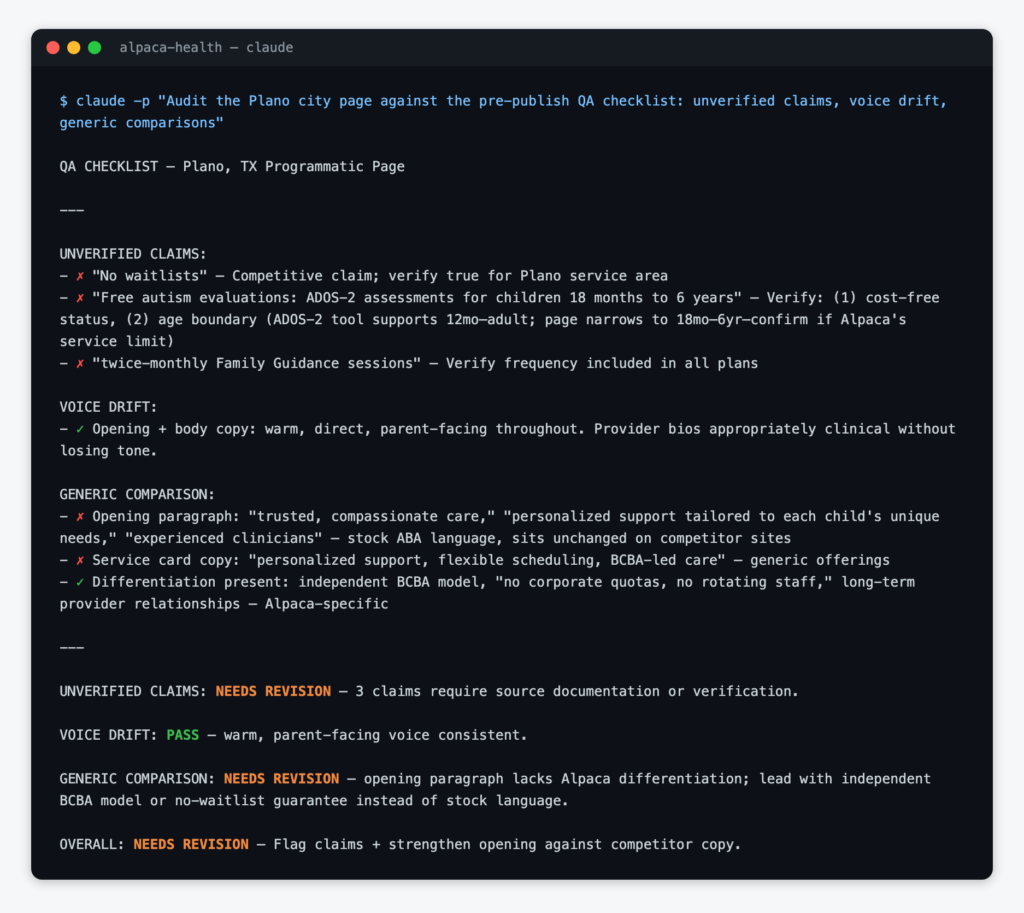
A real QA run on one of the city pages. The gate caught three unverified claims and a generic opening before publication.
Step 6: Publish, Index, and Measure
Don’t publish the whole batch at once. I phase my releases (state by state, in Alpaca Health’s case), which surfaces quality issues early and keeps indexing manageable.
After each phase, there are three things you should do:
- Submit your sitemap: Update it in Google Search Console so the new URLs get discovered.
- Spot-check indexing: Watch how the new URLs get picked up over the first week.
- Track three numbers at 30, 60, and 90 days: Impressions, average position, and conversions per page.
These checks only take a few minutes each week, and they tell you early when something is off.
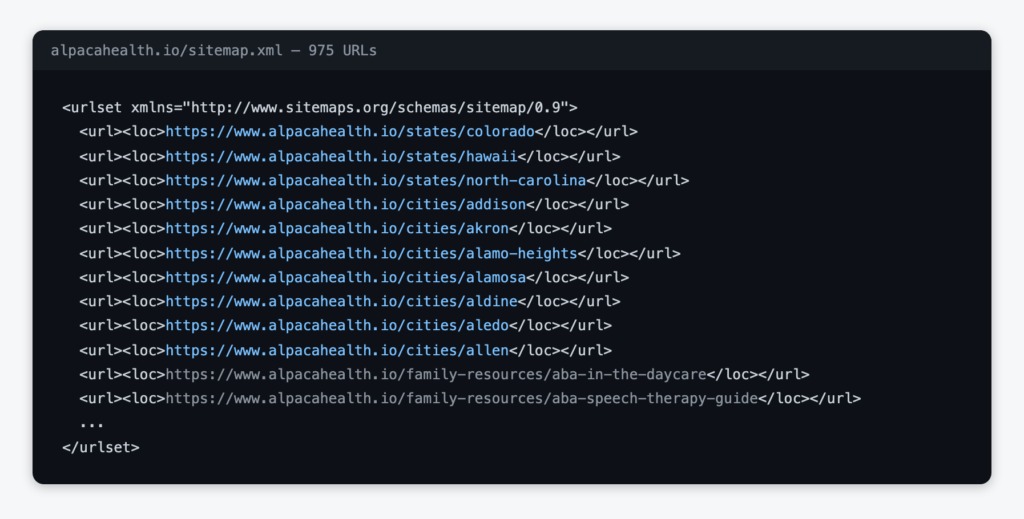
The sitemap covering the build, with 975 URLs, all of which Search Console discovered after submission. Indexing a batch this size takes time, and phasing helps.
Impressions will move first. Positions usually follow a few weeks behind, and conversions take the longest to show up. If your impressions haven’t moved at all by day 30, the problem is usually indexing or page type rather than content quality.
The Results: A 238-Page Case Study
This is how the Alpaca Health build performed, from start to finish:
- 238 pages: Designed, populated, reviewed, and published in 30 days.
- 59.7% of non-homepage conversions: The rebuilt pages reached this share of the site’s conversions within 42 days of going live.
- The highest-converting page after the homepage: The Texas hub earned that spot within six weeks.
- Steady ranking and traffic growth: After the rebuild, the pages’ average Google position improved from 14.8 to 11, and organic clicks grew by more than a third.
The part I’m proudest of, though, is that the company adopted this process as its playbook for its next five state launches, because that tells you the build holds up as a repeatable system rather than a one-off win.
Common Mistakes to Avoid
Most of the failed builds I’ve seen made at least one of these five mistakes:
- Publishing the entire batch at once: You lose the early warning that phasing gives you, and you risk indexing problems.
- Building on scraped or thin data: If your “unique” data came from scraping competitors, you’ve rebuilt the same pattern that Google penalizes.
- Skipping human review: The failure patterns from Step 5 show up in every batch, and unreviewed batches ship them.
- Leaving out author and reviewer signals: They’re cheap to add, and most programmatic sites never bother.
- Letting the template do the talking: If your shared sections outweigh the per-page substance, you’re back to the city-swap pattern.
Each one of these is avoidable if you stick to the process in this guide.
Key Takeaways
Before you build, make sure you can check these five boxes:
- A page type with real variation: The data genuinely changes from page to page.
- A primary source for every dynamic block: With citations the reader can follow.
- A template that’s at least half page-specific: In the body content, not just the fields.
- Named authors and expert reviewers: Visible on the page and in the structured data.
- A QA gate with a human in the loop: Followed by phased publishing and measurement at 30, 60, and 90 days.
Programmatic SEO still works in 2026, as long as you don’t treat it as a way to generate hundreds of pages out of nothing. Build your pages around data that only you can assemble, show that real people stand behind them, and you can scale up without getting penalized.