If you’ve ever wished you could clone yourself to handle all the writing, posting, designing, and admin that keep your business running, AI automation tools are the next best thing.
From marketers juggling campaigns to creators scaling content output, to small business owners doing it all, AI is now the quiet co-pilot behind the world’s most productive teams. But there’s a catch: the AI landscape is crowded. Some tools write. Some design. Others connect everything together so it all runs smoothly.
This guide cuts through the noise with 13 of the best AI automation tools for 2026, grouped by what they actually help you do. Whether you want to automate workflows, create smarter content, or manage your business with less effort, these are the platforms to know.
And leading the pack? Make, the visual-first AI workflow builder that’s transforming how teams automate at scale.
Overview: Best AI Automation Tools for 2026
As Marcus McGehee of The AI Consulting Lab puts it, “The most common mistake is adopting tools without training employees on how to use them.” With new platforms launching constantly, knowing what to use and why matters just as much as the tools themselves.
- Make: The overall best tool for connecting and automating all your business apps
- Zapier: Best for simple “if-this-then-that” automations
- N8n: Best for open-source automation for technical users with large budgets
- ChatGPT: Best for AI writing, brainstorming, and customer support
- Jasper: Best for marketing copywriting and content generation
- Copy.ai: Best for quick marketing copy and short-form content
- Canva Magic Studio: Best for AI-powered graphic design and content creation
- Pictory: Best for turning text or blogs into engaging videos
- Notion AI: Best for organizing, writing, and planning with AI
- ClickUp AI: Best for project and task management powered by AI
- HubSpot Marketing Hub: Best for CRM and AI marketing automation
- Buffer: Best for AI-assisted social media scheduling
- SurferSEO: Best for AI-driven SEO and content optimization
| Goal | Recommended Stack | Workflow Example |
| Automate content from idea to publication | Make + Jasper + Canva Magic Studio + Buffer | Jasper generates the blog post → Canva designs visuals → Make connects them → Buffer auto-schedules posts to social media. |
| Streamline client marketing campaigns | Make + HubSpot Marketing Hub + ClickUp AI | ClickUp manages tasks → Make syncs client data → HubSpot sends automated, personalized emails. |
| Grow organic reach through SEO | SurferSEO + ChatGPT + Notion AI | Surfer generates keyword insights → ChatGPT drafts SEO content → Notion AI organizes articles and briefs for the team. |
Why the Right AI Automation Tool Is a Deal Breaker in 2026
In 2026, the difference between growing businesses and overwhelmed ones is leverage. AI automation tools are no longer just about saving time on repetitive tasks.
They define how fast teams can move, experiment, and scale. The right tool acts as a central nervous system for your business, connecting content, data, customers, and decisions into one intelligent flow.
Choose poorly, and you end up with scattered tools, broken workflows, and hidden costs. Choose well, and you gain compounding efficiency, faster execution, and a competitive edge that’s hard to replicate.
That shift from convenience to infrastructure is already underway. AI automation tools are rapidly moving from experimental pilots to core business systems in 2025 and 2026, with 78% of organizations now using AI in at least one business function.
What the Statistics Say
Market Growth & Investment
- Global Market Size: The AI market is projected to reach approximately $371.7 billion to $391 billion in 2025. It is forecasted to grow to nearly $2 trillion by 2030.
- Investment Trends: Global private AI investment reached $252.3 billion in 2024, with the United States leading at $109.1 billion.
- Generative AI: This segment alone is expected to reach $644 billion in spending in 2025, a 76.4% increase year-over-year.
Productivity & ROI Gains
- Efficiency Improvements: Organizations using AI report an 80% improvement in worker productivity. Employees using GenAI tools specifically can see performance boosts of up to 40%.
- Return on Investment: Businesses achieve an average ROI of $3.70 for every dollar spent on GenAI.
- Time Savings: On average, employees save 2 to 3 hours per week using AI automation, while some “superusers” reclaim over 20 hours weekly.
Top Automation Use Cases (2025-2026)
- Customer Service: 56% of businesses use AI for customer service. AI chatbots can now handle up to 70% of customer service interactions.
- Marketing & Sales: This is the most active sector for adoption. 80% of digital marketers already employ AI. 71% of companies report revenue increases in this area due to AI.
- Operations & Supply Chain: Automation in service operations has led to 49% cost savings. In manufacturing, AI-driven predictive maintenance can reduce costs by 30%.
- IT & Cybersecurity: 67% of businesses use AI for cybersecurity and fraud management.
Emerging Trend: Agentic AI
The next major shift is toward AI agents, autonomous systems that can execute multi-step workflows.
- Adoption: 52% of enterprises already use AI agents as of late 2025.
- Projection: Gartner predicts that by 2026, 50% of customer care institutions will use GenAI-driven virtual assistants.
Taken together, the data confirms what many teams are already experiencing firsthand: AI automation is redefining how modern businesses compete, scale, and survive in 2026.
1. Workflow & AI Agent Automation Tools
#1 Make – Visual-First AI Workflow Automation for Marketers and Teams
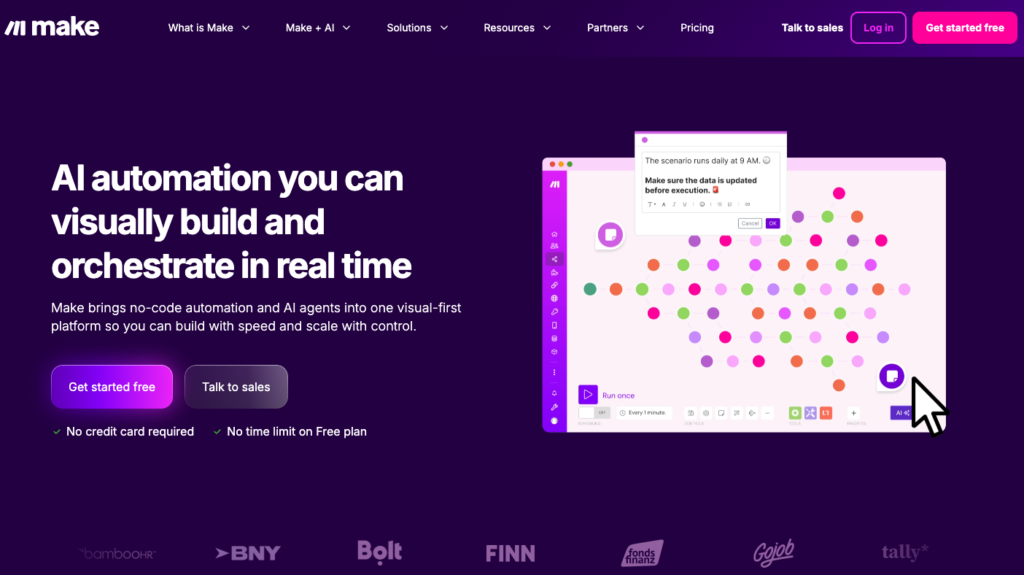
If you’ve ever wished your favorite tools could talk to each other, from Google Sheets to Slack to Notion, Make makes that happen, literally.
It’s a visual, no-code automation platform designed for marketers, creators, and small businesses that want to connect over 3,000 apps without a single line of code.
Instead of rigid “if-this-then-that” setups, you get a drag-and-drop interface that shows your data flowing between tools in real time.
Used by tens of thousands of users worldwide, Make empowers teams to build everything from lead routing to AI-driven campaign orchestration, all without needing an engineer.
Key Features & Use Cases
1. Visual Scenario Builder: Make’s core magic lies in its visual builder; you literally see each app and connection mapped out. For instance, you can build a workflow that pulls new leads from Facebook Ads, enriches them in Clearbit, and adds them to HubSpot, all triggered automatically. It’s fast, flexible, and feels like mind-mapping your business logic.
2. AI Agents & Integrations: With Make’s AI Agents, you can design intelligent automations that reason and act, such as summarizing customer feedback via GPT before posting it in Slack. Combine that with over 3,000 integrations, and you can blend marketing, analytics, and creative workflows seamlessly.
3. Enterprise-Ready Scalability: Beyond solo founders, Make scales to teams and enterprises with multi-step workflows, parallel branches, and SOC2-compliant security. You can automate entire marketing pipelines while keeping full visibility and compliance.
Considerations
Make is beloved for its flexibility, visual design, and cost-efficiency, with paid plans starting at just $9/month for 10,000 operations. It has a mild learning curve, but the Make Academy tutorials and vibrant community help you ramp up quickly.
Ideal for: marketing teams, startups, and creators who want to connect content, CRM, and analytics in one automation brain.
💡 If you want to automate anything and visualize everything, Make is the platform to start with.
#2 Zapier – Automation for Lovers of Simplicity
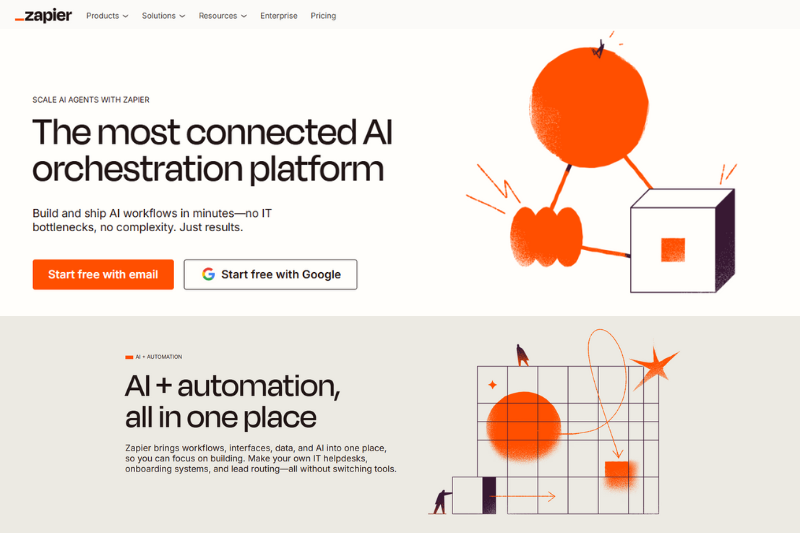
Zapier is the tool that taught everyone how to connect their apps before it was cool. It’s built for non-technical users who want things to “just work,” connecting 7,000+ apps to automate small but mighty tasks.
Think: posting a tweet when a new blog goes live, or sending a Slack message when a lead fills out a form.
Zapier’s real strength is simplicity; anyone can create automations (called “Zaps”) in minutes.
I will say that what used to be simple can sometimes be a headache, as newer versions of Zapier have introduced new concepts that seem to rarely work (Zapier loops and Zapier tables are two prime examples).
Accomplishing complex goals is often more of a headache in Zapier than I’d like it to be.
Key Features & Use Cases
1. App Integrations Galore: With 7,000+ app connections, Zapier likely supports whatever tools you already use. For example, you can set up a Zap to send every new Shopify order to a Google Sheet while also notifying your fulfillment team via email.
2. Multi-Step Zaps: Move beyond simple triggers with multi-step workflows, e.g., take a new Airtable record, enrich it in ChatGPT, then post it to Slack and Notion automatically. Perfect for marketing workflows where one action sparks several follow-ups.
3. Templates Library: Zapier’s library of ready-made templates lets beginners get results fast. Whether it’s lead tracking or content posting, you’ll find a plug-and-play automation for nearly any common task.
Considerations
Zapier shines in ease of use and accessibility, but its pricing can climb quickly, starting at $19.99/month, and scaling as your automations grow. It’s great for quick, rule-based automations, but lacks deep branching logic or AI reasoning.
Best for: freelancers, solopreneurs, or small teams that want quick wins without technical setup.
#3 n8n – Open-Source Automation for Developers
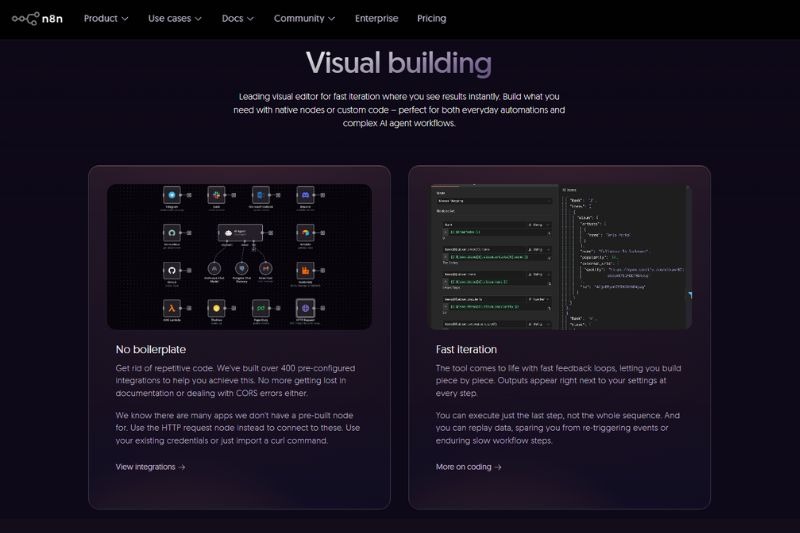
For those who prefer full control over their tech stack, n8n (pronounced “n-eight-n”) is an open-source automation platform that puts flexibility front and center.
It’s tailor-made for developers and data-savvy teams who want to self-host automations, customize integrations, and maintain total control over data privacy.
Self-hosted plans have high maintenance requirements that require technical know-how and associated costs not included in the initial price tag.
Key Features & Use Cases
1. Self-Hosting for Data Control: With n8n, you can deploy workflows on your own servers, cloud environment, or even locally. This is for businesses with strict compliance or data sensitivity needs. For example, a fintech startup can automate reporting within its own infrastructure while staying fully GDPR-compliant.
2. Custom Nodes & Scripting: Developers can extend n8n’s functionality using JavaScript nodes to add logic, call APIs, or process data. For example, you can pull data from an internal CRM, enrich it via OpenAI, and update it across multiple databases with custom code.
3. Community-Driven Marketplace: n8n’s open ecosystem means you’ll find hundreds of community-built workflows and integrations, from social listening bots to SEO monitors, all free to adapt and deploy.
Considerations
n8n’s biggest strength is flexibility, and that’s also its challenge. It requires technical setup and familiarity with DevOps, making it less beginner-friendly than Make or Zapier. Pricing for their hosted “n8n Cloud” starts at around $20/month, but self-hosting is free.
Best for: developers, startups with technical teams, and businesses prioritizing privacy or custom logic.
2. AI Content & Copywriting Tools
#4 ChatGPT – Conversational AI for Content and Strategy
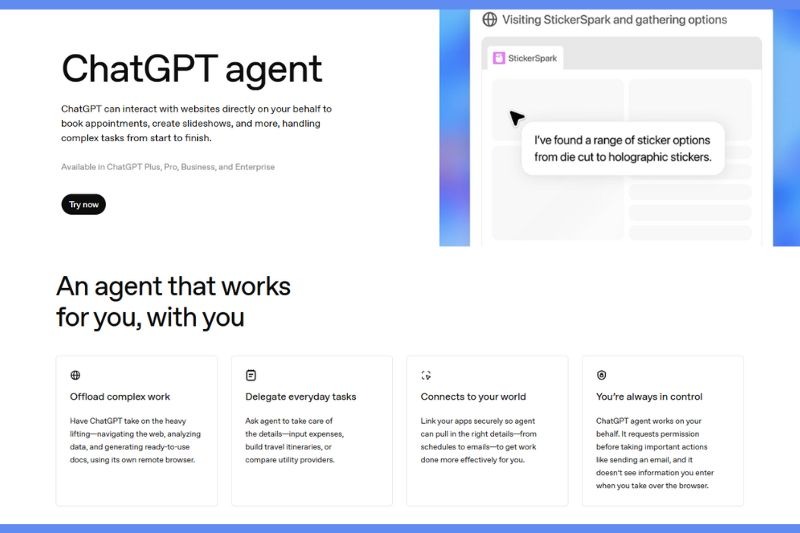
ChatGPT, developed by OpenAI, has become the go-to creative companion for marketers, writers, and entrepreneurs alike.
It’s an AI language model that helps you brainstorm, write, edit, and strategize, all through natural conversation.
Whether you’re crafting product copy, generating campaign ideas, or refining brand messaging, ChatGPT adapts to your tone and goals in seconds.
Used by millions worldwide, it’s like having a strategist, editor, and copywriter rolled into one virtual assistant.
Key Features & Use Cases
1. Content Creation: Need a LinkedIn post, product description, or blog draft fast? ChatGPT can create on-brand content from a simple prompt, for instance, “Write a 150-word social post announcing our new feature in a friendly tone.” It understands nuance, context, and intent.
2. Prompt-Based Workflow Design: Marketers use ChatGPT to design entire content workflows, like generating outlines for blog series, video scripts, or ad variations that later plug into tools like Jasper or Canva. It’s powerful for ideation and structured planning.
3. API & Automation Integrations: Beyond chatting, developers and teams integrate ChatGPT into their workflows via API, connecting it with Make or Zapier to automate writing, data enrichment, or personalized customer responses.
Considerations
ChatGPT’s free version (GPT-3.5) is great for basic tasks, but ChatGPT Plus ($20/month) unlocks GPT-4, offering sharper reasoning, better tone control, and longer context.
It’s best for marketers, founders, and creative teams who value speed and flexibility over rigid templates.
💡 If you want an all-purpose creative partner that adapts to your style and strategy, start with ChatGPT.
#5 Jasper AI – AI Copywriting Tailored for Brands
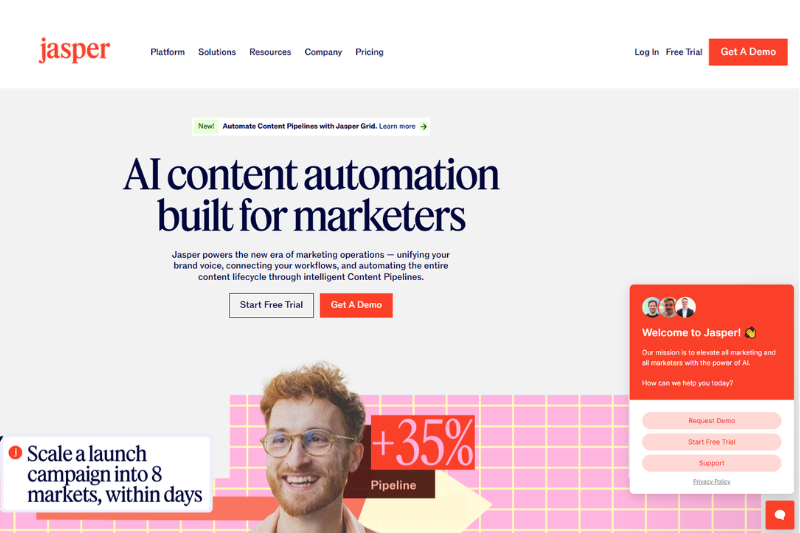
Jasper AI is built specifically for marketing teams and content professionals who need consistent, brand-aligned copy across every platform.
While general-purpose AIs can write anything, Jasper focuses on delivering on-brand, conversion-driven content, ideal for blogs, ads, emails, and social posts.
Used by companies like IBM and Airbnb, it’s the AI marketer’s secret weapon for scaling content production without losing voice or quality.
Key Features & Use Cases
1. Brand Voice Profiles: Define your tone, style, and brand guidelines once, Jasper’s AI then mirrors your voice in every piece it creates. For example, a SaaS startup can generate email sequences that sound exactly like its brand persona every time.
2. Templates for Every Channel: Jasper offers 50+ templates, from blog outlines to Facebook ad copy, optimized for marketing use cases. You can go from concept to publish-ready post in minutes, keeping your messaging consistent across all channels.
3. Collaboration & Workflows: Team features make Jasper great for agencies and teams. Writers can collaborate, leave feedback, and manage projects from a single dashboard, turning AI writing into a coordinated production system.
Considerations
Jasper starts at $39/month, with plans scaling based on seats and word volume. Users love its brand alignment and professional tone, though it’s less freeform than ChatGPT – better for structured marketing outputs than open brainstorming.
#6 Copy.ai – Quick Copy for Busy Marketers
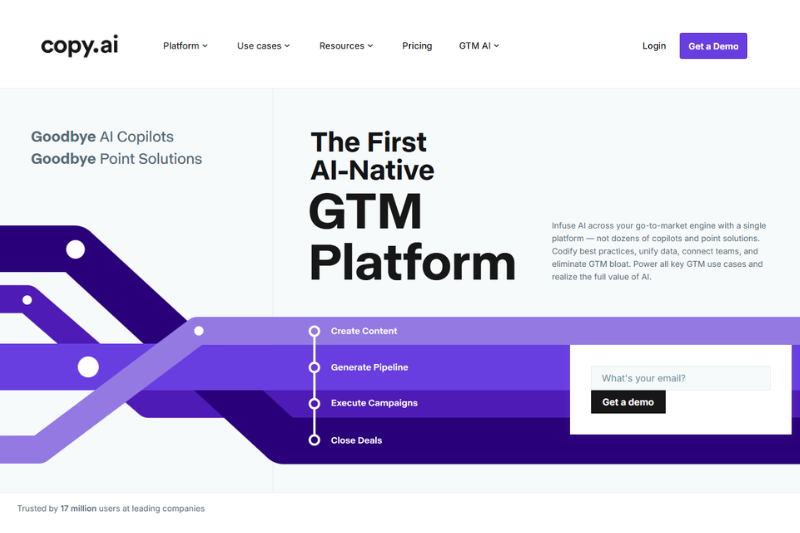
Copy.ai is the tool you open when you need content fast, think social captions, product descriptions, or email intros.
Its mission is to make AI copywriting instant, accessible, and fun, especially for small businesses and solopreneurs.
You can chat with its AI, use prebuilt templates, or generate ideas interactively, all within minutes.
Key Features & Use Cases
1. Pre-Built Templates: Hundreds of templates help you write ads, product blurbs, or social posts instantly. For example, a boutique owner can craft a catchy Instagram caption by selecting “Promotional Post” and entering a few details.
2. Freestyle Editor: Use Copy.ai’s chat-style interface to co-write content interactively. You can prompt the AI to “make this punchier” or “add humor,” refining copy in real time like you would with a creative partner.
3. Campaign Workflow Builder: For repeat tasks like weekly newsletters or ad variations, the Campaign Workflow Builder automates prompts and structures, so your content calendar practically runs itself.
Considerations
Copy.ai offers a free plan with basic tools, and paid plans start at $49/month. It’s ideal for creators and entrepreneurs who need quick, usable copy without complex setups. Some users note its outputs can feel “template-y” for nuanced brand work, but for day-to-day marketing copy, it’s a huge time-saver.
3. AI Design & Creative Tools
#7 Canva Magic Studio – Design Automation for Non-Designers
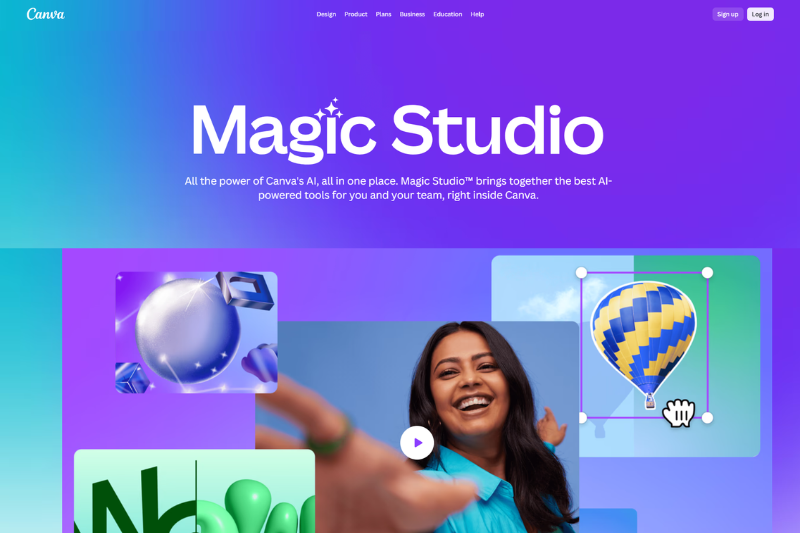
Canva Magic Studio turns design into a collaborative, AI-powered playground. It’s part of Canva’s broader platform, used by over 150 million people, and lets anyone create professional designs, videos, and documents with minimal effort.
Magic Studio is perfect for marketers, social media managers, and small teams who want AI-assisted design creation, editing, and writing in one place.
Key Features & Use Cases
1. Magic Design: Start with a text prompt (“create a modern event poster for a coffee brand”) and Canva will instantly generate multiple layouts, fonts, and image combinations. It’s like having a designer who speaks your mind.
2. Magic Edit & Magic Write: Edit images or rewrite copy directly in Canva using AI. You can remove backgrounds, replace objects, or generate captions for visuals without ever leaving the canvas.
3. Brand Kit & Smart Templates: Upload your brand logo, fonts, and colors once, and Canva’s Brand Kit ensures every design stays on-brand. Combine this with templates for ads, stories, and decks for fast, consistent output.
Considerations
Canva’s free plan covers most essentials, but the Pro plan ($14.99/month) unlocks Magic Studio’s AI features, premium templates, and collaboration tools.
It’s best for marketers and small teams that prioritize visual content but don’t have a full design department.
💡 If you want to create stunning visuals without needing Photoshop skills, Canva Magic Studio is your AI design co-pilot.
#8 Pictory – Turn Text into Videos Automatically
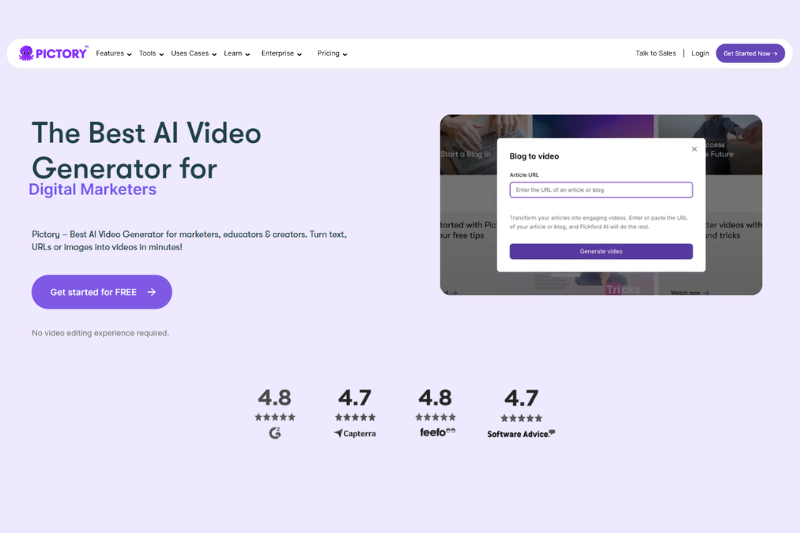
Pictory helps transform your written content, like blogs, scripts, or long-form text, into engaging, shareable videos using AI.
It’s built for marketers, coaches, and creators who want to repurpose written material into bite-sized video content for social media.
Instead of editing manually, you just paste your text, and Pictory handles visuals, captions, and voiceovers automatically.
Key Features & Use Cases
1. Text-to-Video Conversion: Paste a blog article, and Pictory automatically generates a short video with relevant stock clips, text overlays, and transitions. Perfect for repurposing content across YouTube Shorts, LinkedIn, or TikTok.
2. AI Voiceovers & Subtitles: Choose from a variety of realistic AI voices and automatically generated captions, making your content accessible and professional without needing a recording setup.
3. Brand Customization: Upload your brand logo, fonts, and colors once, and Pictory automatically applies them across videos. Every piece of content stays consistent and recognizable.
Considerations
Pictory plans start at $19/month, and it’s a hit among users for ease of use and time savings. The trade-off: limited editing depth compared to full video suites like Adobe Premiere or Runway ML.
Best for creators and small teams who value fast, scalable video creation.
4. Productivity & Knowledge Management Tools
#9 Notion AI – Think, Plan, and Write Smarter
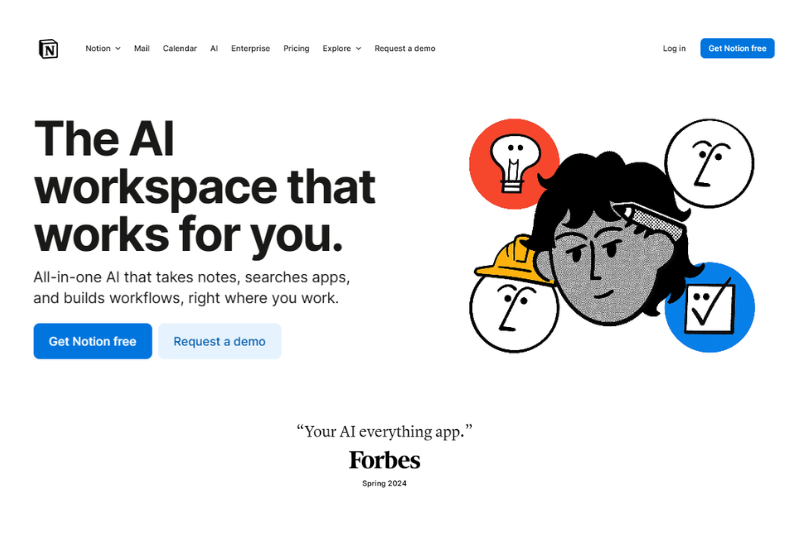
Notion AI adds superpowers to one of the most beloved productivity platforms on the planet. Built right into Notion’s flexible workspace, it helps marketers, creators, and small teams think, write, and organize smarter, without ever switching tools.
Whether you’re brainstorming a campaign, summarizing meeting notes, or drafting blog content, Notion AI turns raw ideas into structured outputs in seconds.
It’s perfect for teams who live inside Notion already and want AI to accelerate every part of their workflow.
Key Features & Use Cases
1. AI Writing Assistant: From brainstorming to editing, Notion AI helps generate and refine text directly in your workspace. You can type “/summarize” on a long document, and it will produce a crisp summary instantly, perfect for recapping marketing meetings or reports.
2. Knowledge Management: Centralize everything, from brand assets to campaign notes, in one searchable space. Then, use AI to retrieve, summarize, or reorganize information without combing through endless pages.
3. Context-Aware Assistance: Notion AI understands the surrounding content and provides contextual suggestions, like rewriting a section to be more persuasive or expanding bullet points into a full paragraph.
Considerations
Notion AI costs $8/month per user (on top of a Notion plan). Users love its integration (everything happens inside the same workspace), but it’s not ideal for heavy-duty analytics or automation.
Best for: teams that already use Notion for content and project management and want to boost speed and consistency.
💡 If you already live in Notion, turning on Notion AI is like adding a creative assistant who never sleeps.
#10 ClickUp AI – Project Management Meets AI Assistant
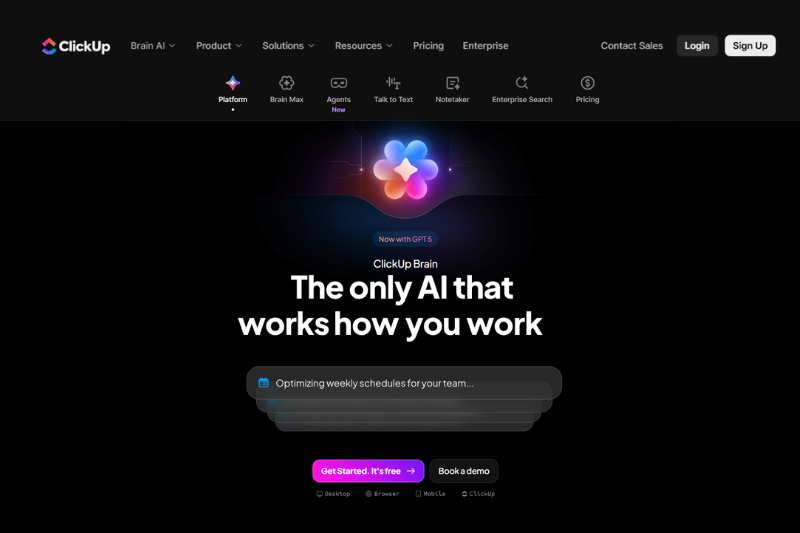
ClickUp AI brings intelligence to project management, helping teams plan, manage, and execute work faster.
Designed for marketers, agencies, and small businesses, it turns your task list into a smart productivity hub.
ClickUp’s AI doesn’t just automate, but also understands your goals, summarizes updates, and even drafts documentation, freeing teams to focus on delivery instead of admin.
Key Features & Use Cases
1. Task Summarization: Instantly recap updates from long threads or meetings. For instance, after a week of campaign activity, ClickUp AI can produce a bullet-point summary of progress, blockers, and next steps.
2. AI Writing & Documentation: Draft status updates, project briefs, or emails directly in ClickUp. You can use prompts like “summarize this task in a professional tone” or “generate a checklist for this deliverable.”
3. Predictive Goal Tracking: ClickUp AI uses performance insights to help you spot delays, forecast workload, and align team priorities before bottlenecks occur.
Considerations
ClickUp AI is available as an add-on for $5/month per user. It’s best for teams already using ClickUp as their task manager and want to save time on reporting, writing, and updates.
#11 HubSpot Marketing Hub – Smart CRM and Campaign Automation
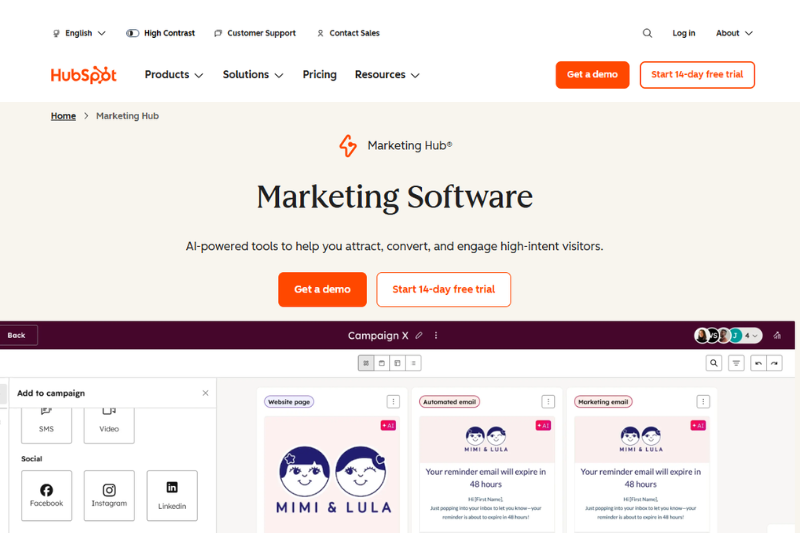
HubSpot’s Marketing Hub is the powerhouse of AI-driven CRM, automation, and analytics. Designed for small to mid-sized businesses that want an all-in-one growth engine, it combines customer data, marketing campaigns, and AI insights in one unified platform.
HubSpot’s AI now helps you personalize content, generate copy, and automate outreach, making it one of the most complete marketing ecosystems available.
Key Features & Use Cases
1. AI Content Assistant: Generate blogs, social posts, and emails tailored to audience segments, for example, writing an email campaign for leads who visited your pricing page but didn’t convert.
2. Smart CRM: Centralize every lead, contact, and deal into one dashboard. The AI prioritizes leads and suggests follow-ups based on engagement and past performance.
3. Marketing Automation: Automate nurture sequences, ads, and retargeting flows. For instance, trigger a personalized email when someone downloads your lead magnet, then follow up automatically a week later.
Considerations
HubSpot is powerful but on the pricier side: plans start at $45/month, and advanced features scale with usage. The upside: you get world-class support, analytics, and integrations.
Best for: scaling teams that want one connected system for CRM, marketing, and AI automation.
#12 Buffer – Smarter Social Scheduling with AI
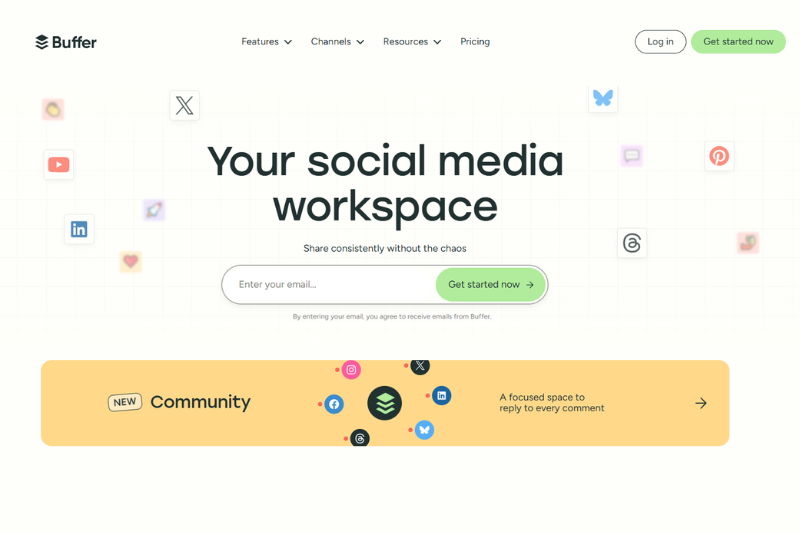
Buffer has long been a favorite for social media scheduling, but its new AI-powered tools make it even more essential for creators and small teams.
Now, you can generate posts, optimize timing, and analyze engagement, all from one clean dashboard. It’s perfect for creators managing multiple channels who want to stay consistent without burning out.
Key Features & Use Cases
1. AI Post Assistant: Buffer’s built-in AI helps you generate captions, hashtags, and image ideas instantly. Just describe your goal (“announce a product launch in a friendly tone”), and it creates variations ready to post.
2. Smart Scheduling: AI analyzes your audience engagement to suggest the best posting times automatically, helping maximize reach and consistency.
3. Analytics Dashboard: Get insights on clicks, reach, and performance across all your social profiles. You can even compare content types (like Reels vs. carousels) to refine strategy over time.
Considerations
Buffer’s free plan supports up to three channels, while paid plans start at $6/month per channel. It’s incredibly intuitive but lacks deep AI editing or design features (use Canva for that). If you want a simple, smart, and affordable way to grow your social presence, Buffer is your steady co-pilot.
#13 SurferSEO – AI for SEO and Content Optimization
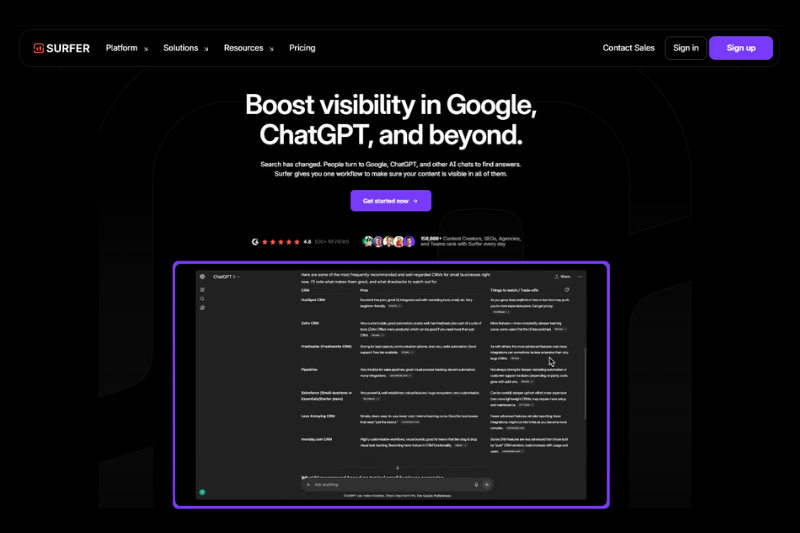
SurferSEO turns SEO into a science-backed content process. Using AI and real-time SERP data, it helps writers and marketers create high-ranking, well-structured articles that actually perform.
Instead of guessing what Google wants, Surfer gives you data-driven recommendations for keywords, structure, and tone, making it a go-to for anyone serious about organic growth.
Key Features & Use Cases
1. Content Editor: Write or paste your content directly into Surfer’s editor to get live optimization feedback (keyword density, headings, readability, and more) all based on top-ranking competitors.
2. AI Outline Builder: Generate article outlines automatically aligned with Google SERP intent. Perfect for content teams creating briefs for writers or agencies.
3. SEO Audit & Optimization: Audit existing pages to find keyword gaps and structure improvements. Surfer suggests exactly what to tweak to move up in rankings. No guesswork needed.
Considerations
SurferSEO’s plans start at $89/month, which reflects its advanced data capabilities. It’s best for SEO-driven businesses, content agencies, and marketers focused on long-term traffic growth.
💡 If your content strategy depends on organic search, SurferSEO is the AI toolkit that helps you rank smarter.
| Category | Purpose / What It Automates | Recommended Tools | How It Fits Into the Stack | Best For / Example Use Case |
| All-Around Automation | Connects apps, automates workflows, and syncs data between tools. | Make / Zapier / n8n | Acts as your automation hub. Integrates all other tools into a unified system. | Marketing ops teams connecting CRMs, analytics, and content tools to run campaigns automatically. |
| Content Creation | Generates text, ads, and ideas for blogs, emails, and campaigns. | ChatGPT, Jasper AI, Copy.ai | Feeds creative copy into design or publishing tools. Use Make or Zapier to automate publishing. | Content marketers generating blog posts, ad copy, and email sequences at scale. |
| Design & Visuals | Creates branded graphics, videos, and visuals powered by AI. | Canva Magic Studio, Pictory | Transforms AI-written content into visual assets for social media and campaigns. | Creators & social media teams turning copy into visuals or videos in minutes. |
| Organization & Productivity | Streamlines planning, writing, and project management with AI assistance. | Notion AI, ClickUp AI | Organizes strategy, ideas, and workflows. Integrates with Make for automated updates. | Content or project managers tracking ideas, briefs, and campaign progress collaboratively. |
| Marketing & Growth | Automates CRM, social scheduling, SEO, and analytics. | HubSpot Marketing Hub, Buffer, SurferSEO | Closes the loop: distributes, measures, and optimizes content performance. | Growth marketers & SMBs managing leads, publishing schedules, and SEO optimization. |
Conclusion
AI automation is quickly becoming the backbone of modern marketing, content, and small-business workflows.
The right tools don’t just save time; they help you work smarter, stay consistent, and scale your impact without adding more to your plate.
Whether you’re automating workflows, creating content faster, or streamlining client campaigns, today’s AI platforms give every team – no matter the size – the ability to operate like a much bigger one.
The best approach? Start with the tools that solve your biggest bottlenecks, experiment, and let your AI stack grow naturally as your needs evolve.
Frequently Asked Questions (FAQs)
What is an AI automation tool, and why should marketers or small businesses use one?
AI automation tools combine artificial intelligence with workflow automation to handle repetitive, time-consuming tasks like writing posts, scheduling content, or managing leads. For marketers and small businesses, this means less manual work and more time for creative strategy. Tools like Make can connect dozens of your favorite apps so campaigns run automatically, while AI assistants like ChatGPT or Jasper help generate the actual content behind them.
What’s the best AI automation tool for beginners?
If you’re just starting out, Make is a great entry point for visual automation because it’s intuitive and affordable. Pair it with ChatGPT for content creation and Canva Magic Studio for design, and you’ll have an easy, low-maintenance setup. Most of these tools include free tiers or trials, so you can test what fits your workflow before upgrading.
How do I choose the right AI stack for my business?
Think about your biggest bottleneck: is it content, design, or process management? Then pick one tool from each key category.
- AI Automation: Make
- Content Creation: ChatGPT, Jasper, or Copy.ai
- Design & Visuals: Canva Magic Studio or Pictory
- Organization: Notion AI or ClickUp AI
- Marketing & Growth: HubSpot, Buffer, or SurferSEO
From there, use Make to connect them into a seamless workflow. Start small; you can always expand your stack as your needs grow.
Are AI automation tools expensive?
Not necessarily. Many tools on this list offer free plans or low-cost starter tiers. For example, Make starts at $9/month, Buffer from $6 per channel, and ChatGPT’s Pro plan is $20/month. Even paid plans often save hours of manual work each week, which more than offsets the cost. If you’re strategic in combining 2–3 tools that complement each other, you can build a powerful automation system for under $50/month.